Un webhook invia ogni nuova sottomissione a un URL da te scelto, come una richiesta HTTPS firmata. Lo aggiungi a un modulo una sola volta, e da quel momento il tuo server, uno strumento interno o qualsiasi servizio che accetta richieste HTTPS riceve ogni sottomissione un attimo dopo il suo arrivo. Alla fine di questa guida il tuo endpoint riceverà ogni nuova sottomissione e potrà verificare che provenga da Forminal. I webhook funzionano su tutti i piani.
Aggiungi il webhook
- Open the form in the builder and select Integrations in the top bar.
- Select Connect next to Webhooks. Once the form has a webhook, the button reads Manage Connections and opens the same page.
- Under Add a Webhook, paste your URL. It has to start with https:// and point at a public address.
- Give it a Name if you like. If you leave it empty, the webhook takes the URL’s host as its name.
- Under Method, choose GET, POST, PUT, PATCH or DELETE. POST is selected to start with.
- Under Format, choose JSON or Form. GET has no format, because it sends the body as a query string.
- If your endpoint needs a key or a token, select Add Header and type the header’s name and value, such as Authorization and Bearer followed by your token.
- Under Request Body, leave the list empty to send the whole submission. If your endpoint expects its own keys, select Add Field for each one, type the key, then the value. Type @ in the value to insert an answer. GET needs at least one body field.
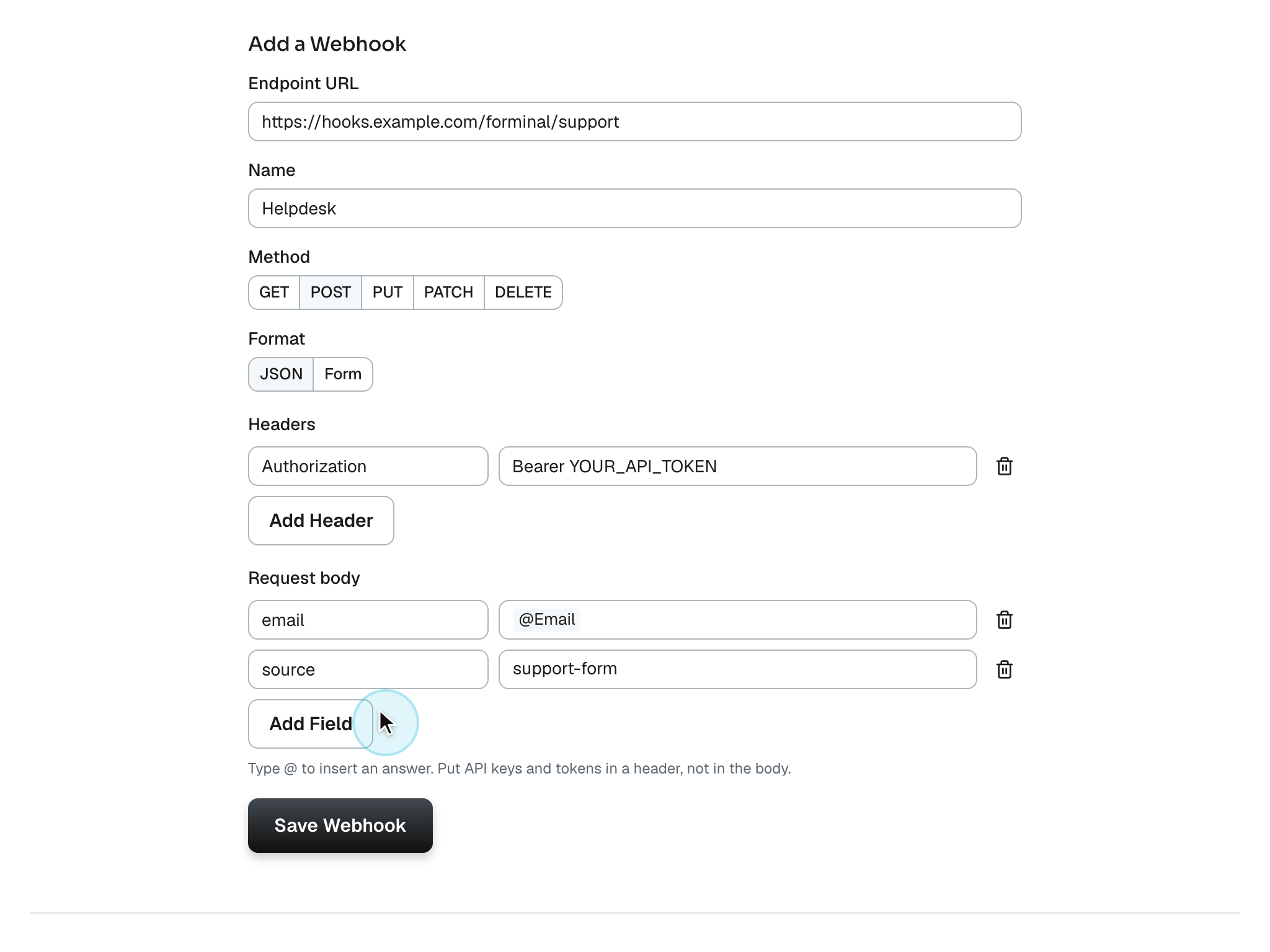
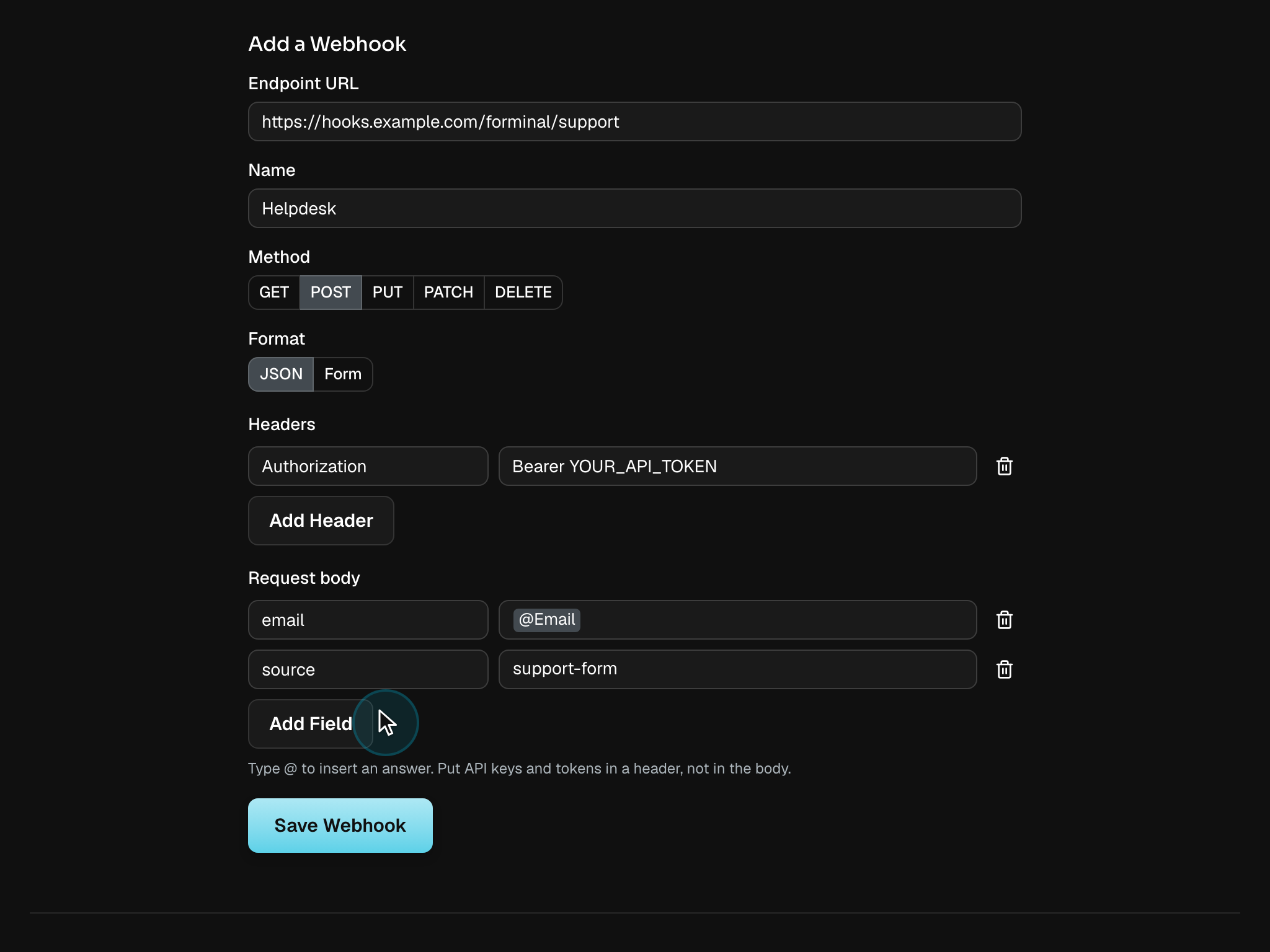
- Select Save Changes. It appears under Connected Webhooks.
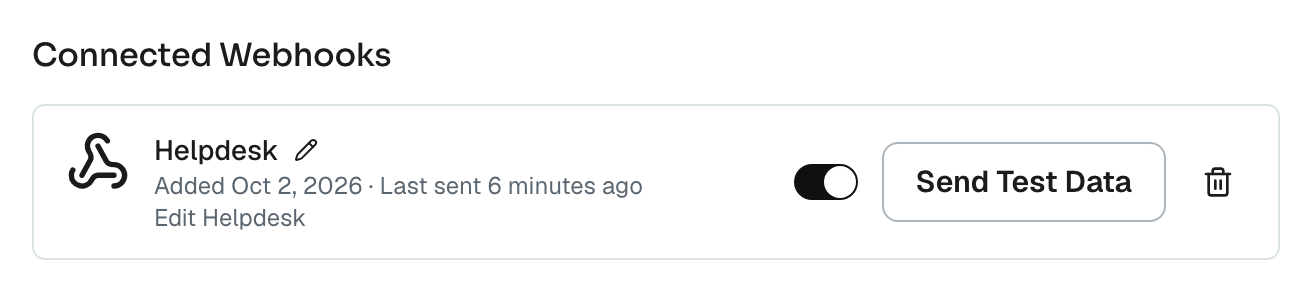
Each row has a switch to pause the webhook, Send Test Data, a pencil to rename it, the export button (the upload arrow) to export existing submissions and a bin to delete it. Under its name, a status line says Not sent yet, Last sent, or “Could not send the last submission” with the reason, and a link opens the webhook’s own page. On that page you can change the URL, method, format, headers and body, export existing submissions, find the signing secret and see recent deliveries.
Invia dati di test
Select Send Test Data on the webhook’s row. Forminal sends your endpoint one request with a sample answer for every question on the form, signed the same way as a real one, and the row says “Sent. Check your endpoint for the test delivery.” when your endpoint answers with a 2xx status. Otherwise the row shows the reason, such as “The webhook answered 401”.
Test data has test set to true, and its webhook-id starts with msg_test_, so your code can tell it from a real submission. A test isn’t retried and doesn’t show in Recent Deliveries. The webhook has to be on to send one, and Send Test Data and Resend together allow 20 sends a minute.
Cosa riceve il tuo endpoint
Ogni sottomissione arriva come una richiesta, con il metodo che hai scelto e questi header:
Content-Type:application/jsonper JSON,application/x-www-form-urlencodedper Form. Una richiesta GET non ha corpo né content type.User-Agent:Forminal/1.0.webhook-id,webhook-timestampewebhook-signature, che firmano la richiesta (vedi la prossima sezione).- Ogni header che hai aggiunto.
With an empty Request Body and JSON, the body of a contact form’s submission looks like this:
{
  "event": "submission.created",
  "test": false,
  "form": { "id": "FORM_ID", "title": "Contact us" },
  "submission": {
    "id": "SUBMISSION_ID",
    "submittedAt": "2026-11-19T10:00:00.000Z",
    "originPage": "https://example.com/contact",
    "browser": "Chrome",
    "durationSeconds": 42,
    "country": { "code": "DE", "name": "Germany" },
    "tags": [],
    "payment": null
  },
  "answers": { "Email": "[email protected]", "Message": "Can I change my order?" },
  "answersById": { "f_k3x9qa": "[email protected]", "f_p7m2wd": "Can I change my order?" },
  "fields": [
    { "id": "f_k3x9qa", "type": "email", "label": "Email", "title": "Email", "value": "[email protected]", "text": "[email protected]" },
    { "id": "f_p7m2wd", "type": "long_text", "label": "Message", "title": "Message", "value": "Can I change my order?", "text": "Can I change my order?" }
  ]
}eventè sempresubmission.created.submissioncontiene la pagina di origine, il browser, il tempo impiegato in secondi, il Paese del Rispondente (null quando è sconosciuto), i tag e il pagamento su un modulo che ne richiede uno. Un oggettoutmcon i valori UTM viene aggiunto quando il link ne trasportava qualcuno.answerscontiene ogni risposta come testo, indicizzata per l'etichetta della domanda. Una domanda senza etichetta è indicizzata come Domanda 3 o qualunque sia la sua posizione, e due domande con la stessa etichetta diventano Email e Email (2).answersByIdcontiene lo stesso testo indicizzato per ID del campo. Usalo quando il tuo codice deve continuare a funzionare dopo che qualcuno ha rinominato una domanda.fieldselenca ogni domanda con il suo ID, tipo, etichetta, la risposta come testo e il suovaluegrezzo. Per una domanda a scelta,valuecontiene gli ID delle opzioni etextle etichette delle opzioni.- Una risposta di Caricamento File o Firma è il link al file, nel tuo Google Drive o nella tua libreria multimediale, con diversi file uniti da virgole. Un link alla libreria multimediale si apre solo per qualcuno che ha effettuato l'accesso con accesso alle sottomissioni del modulo, o con una chiave API.
I tuoi campi nel corpo
When you add body fields, the body holds only those keys, each with its value, such as {"email": "[email protected]", "source": "website"}. An inserted answer reads as it does in answers. When the question was left unanswered, the value takes the Default Value you set by selecting the inserted answer, or stays empty.
Richieste Form e GET
Form invia lo stesso documento codificato URL, con chiavi nidificate tra parentesi: form[title], answers[Email], fields[0][id]. PHP e la maggior parte dei framework web lo leggono come dati nidificati. GET inserisce la stessa codifica nella stringa di query, dopo qualsiasi query che l'URL ha già, e l'URL con la sua query deve rimanere entro 2000 caratteri. Server e proxy spesso registrano l'indirizzo completo, comprese le risposte, quindi usa POST per qualsiasi cosa personale.
Verifica la firma
Chiunque conosca il tuo URL potrebbe inviargli una richiesta, quindi controlla la firma prima di fidarti di una richiesta. Forminal firma ogni richiesta seguendo la specifica Standard Webhooks:
webhook-idnomina la consegna,msg_seguito da 32 caratteri esadecimali. Rimane lo stesso ad ogni tentativo di ritentativo e reinvio.webhook-timestampè l'ora in cui è stato inviato questo tentativo, in secondi dal 1970.webhook-signatureèv1,seguito da un HMAC-SHA256 codificato in base64 dell'ID, del timestamp e del corpo grezzo, uniti da punti. La chiave è il tuo segreto di firma senza il prefissowhsec_, decodificato da base64. Per una richiesta GET, la stringa di query con cui è stata inviata, senza il?, prende il posto del corpo.
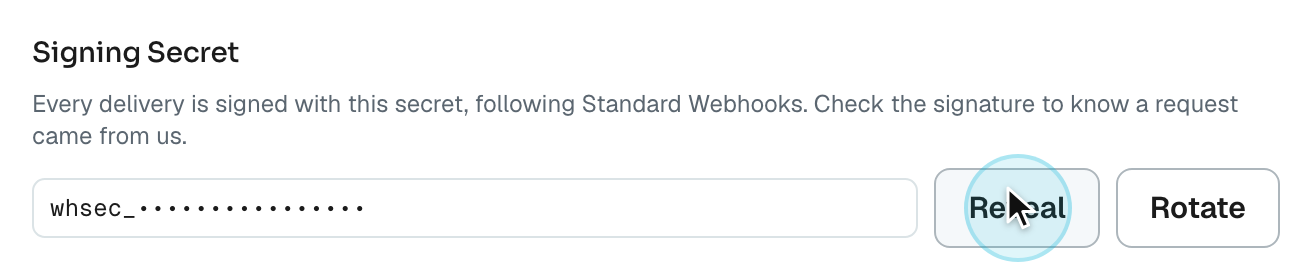
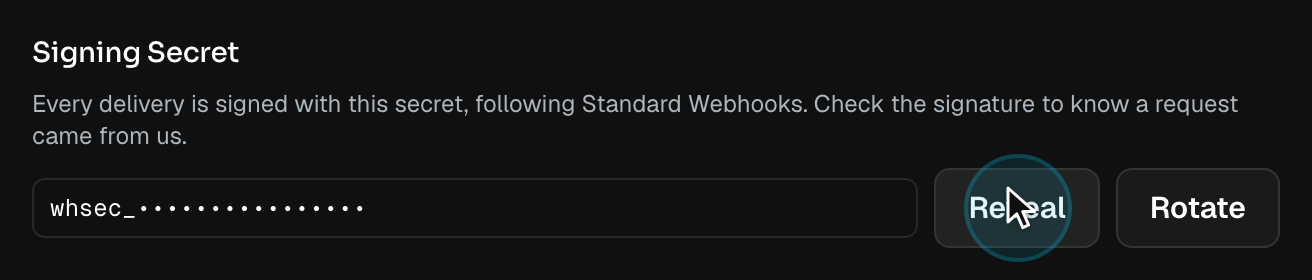
To find the secret, open the webhook’s page from the link on its row and select Reveal under Signing Secret.
Una libreria Standard Webhooks fa il controllo per te. In Node.js, con il corpo della richiesta grezzo e il segreto:
import { Webhook } from 'standardwebhooks'
const payload = new Webhook(process.env.WEBHOOK_SECRET).verify(rawBody, req.headers)
verify genera un errore se la firma non corrisponde o se il timestamp è più vecchio di cinque minuti. Controlla il corpo esattamente come è arrivato, prima di qualsiasi elaborazione. Conserva l’webhook-id di ogni consegna che gestisci ed ignora una richiesta il cui id hai già visto. Rispondi con uno stato 2xx entro 10 secondi ed esegui il lavoro più lentamente dopo aver risposto.
If the secret leaks, select Rotate, then Rotate Secret. The old secret stops working at once, so update your endpoint right after.
Consegne e ritentativi
Una richiesta viene inviata subito dopo ogni invio, una volta per invio. Su un modulo con un campo Pagamento attende che il pagamento sia effettuato e lo spam non viene mai inviato. Qualsiasi risposta 2xx viene conteggiata come consegnata. I reindirizzamenti non vengono seguiti, quindi una risposta 3xx viene conteggiata come un fallimento.
Se il tuo endpoint non risponde entro 10 secondi, non è raggiungibile o risponde con qualsiasi altro stato, Forminal riprova dopo 1 minuto, poi 5 e 30 minuti, poi 2, 5 e 10 ore: sette tentativi in circa 18 ore. Un nuovo tentativo viene inviato all’URL e agli header che l’webhook ha in quel momento, quindi la correzione di un URL errato corregge anche le consegne in attesa. Mantiene il metodo, il formato e il corpo del primo tentativo. Una risposta 410 Gone interrompe immediatamente i nuovi tentativi.
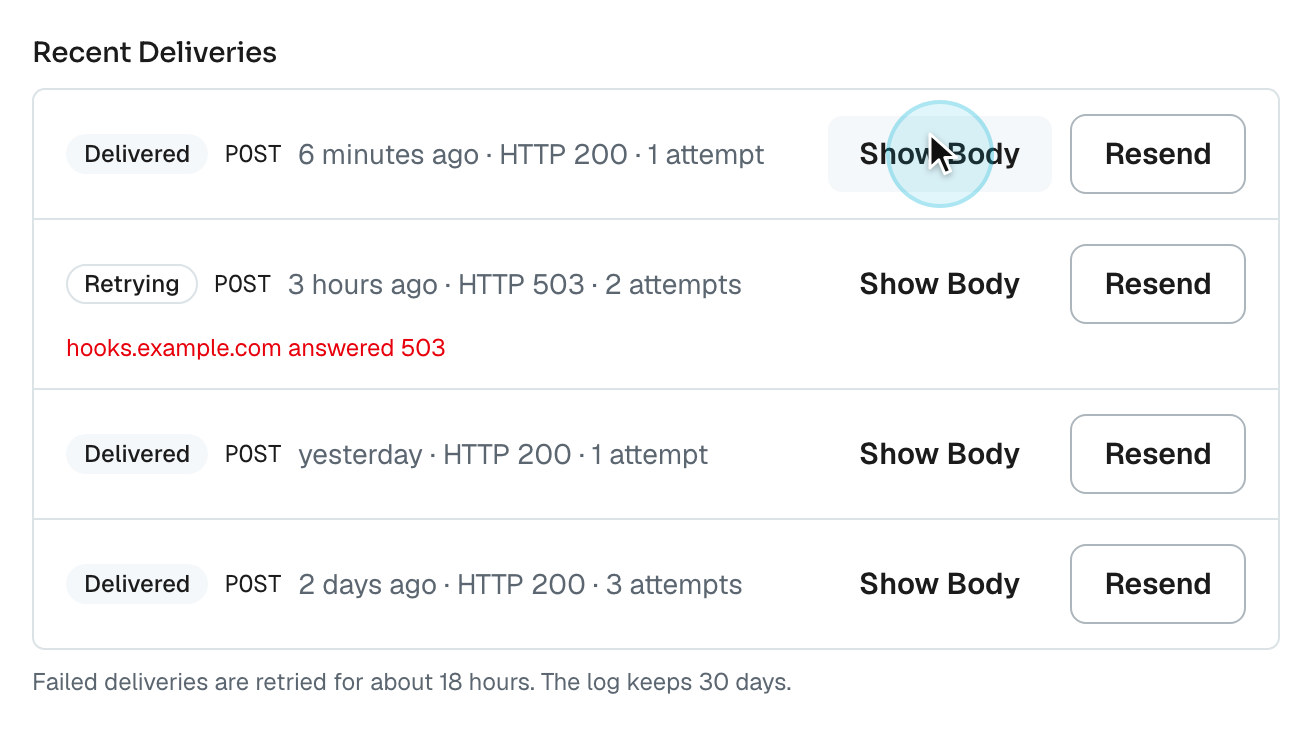
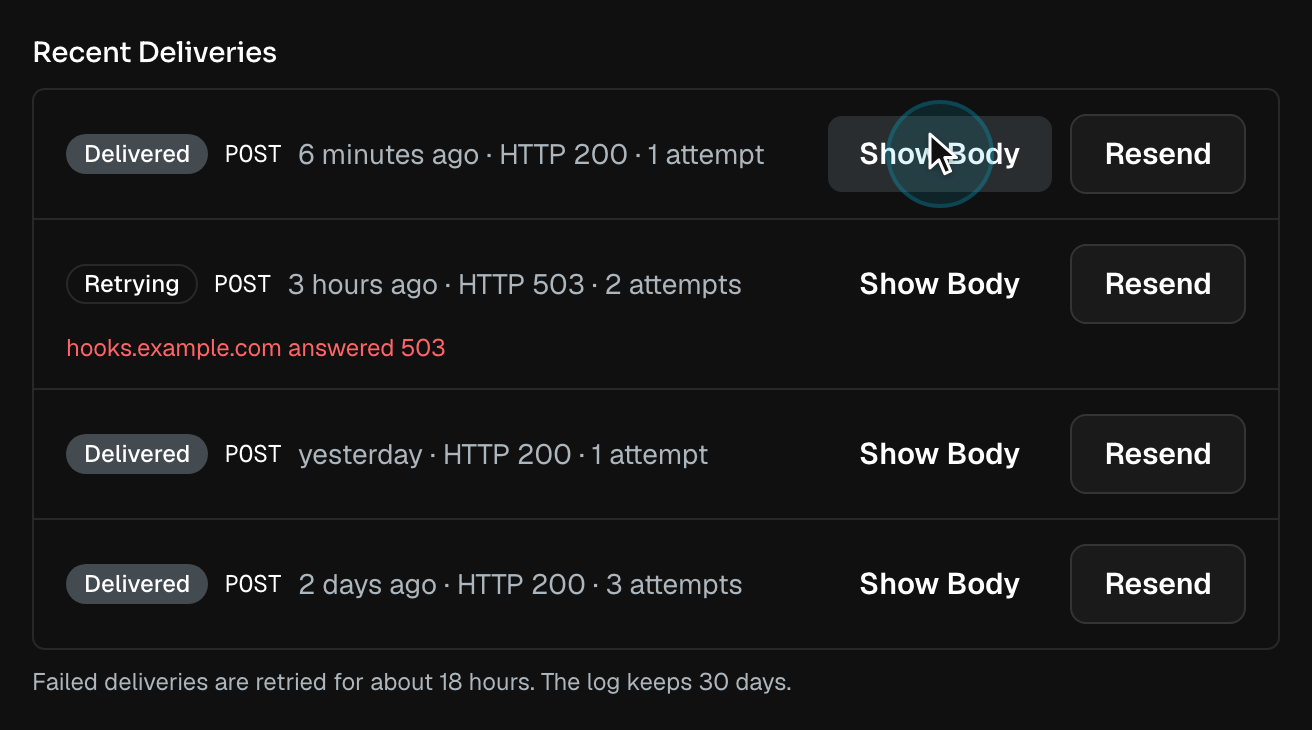
Recent Deliveries on the webhook’s page lists the newest 50, each as Delivered, Retrying or Failed, with the last status code, the number of attempts and the error, if any. Select Show Body to see exactly what was sent, and Resend to send it again now, under the same webhook-id. Deliveries stay in the log for 30 days.
Invia le submission che hai già
To send the submissions a form had before you added the webhook, select the export button on its row and then Export, or turn on Export Existing Submissions on the webhook’s page and save. Each complete submission that isn’t spam, and a submission with a payment only once it’s paid, goes as its own signed request, oldest first, at most 50 a minute, and shows in Recent Deliveries. The row shows “Exporting · 120 of 400 sent · Stop export” while it runs. Select Stop export to drop the rest. Running it again sends everything again under new webhook-ids, so use the submission ID to skip one your endpoint already has.
Turning the webhook off with its switch pauses it. Submissions that come in while it’s off aren’t sent on their own, and a delivery waiting for a retry is marked Failed with “The webhook was off”. Turn it back on and select Resend on any delivery you still want sent, or export existing submissions to send them all again. Deleting the webhook drops its log and any deliveries waiting to retry.
Risoluzione dei problemi
Usa un URL https
L’webhook non può essere salvato con un indirizzo http://. Metti il tuo endpoint dietro HTTPS. Per lo sviluppo locale, usa un tunnel che ti fornisca un indirizzo https:// pubblico.
Questo URL punta a un indirizzo di rete privato
Localhost, indirizzi su una rete privata e nomi senza un punto vengono rifiutati al momento del salvataggio. Un nome host che si risolve in un indirizzo privato quando la richiesta viene inviata fallisce con “si risolve in un indirizzo di rete privato”. Usa l’indirizzo pubblico dell’endpoint.
Inserisci le credenziali in un header, non nell’URL
A URL such as https://user:[email protected] is refused. Select Add Header and send the credentials there instead, for example as an Authorization header.
Corpo della richiesta non valido
Il salvataggio mostra questo quando un campo di intestazione o di corpo viola una regola. Un nome di intestazione utilizza lettere, cifre e trattini e appare una sola volta, e il suo valore rimane su una riga in caratteri normali, fino a 1000 di essi. Content-Type, Content-Length, User-Agent, Host e le tre intestazioni webhook- sono impostate per te, e le intestazioni di connessione come Connection o Upgrade non possono essere impostate. Una chiave di corpo è lunga da 1 a 100 caratteri su una riga e appare una sola volta, e le chiavi sono sensibili alle maiuscole, quindi Email ed email sono due chiavi. Un valore può essere lungo fino a 2000 caratteri. L'URL stesso può essere lungo fino a 2000 caratteri.
Aggiungi i campi che una richiesta GET dovrebbe inviare
A GET request has no body, so it sends only the body fields you add, in the query string. Select Add Field for at least one key, or switch the method to POST to send the whole submission.
Il webhook ha risposto con un codice di stato
“The webhook answered 401” or any other code means your endpoint got the request and refused it. A 401 or 403 usually points to a missing or wrong token in a header. A 404 means the path is wrong, and a 3xx means the URL redirects: use the address it redirects to. Select Show Body on the delivery to see what was sent.
Il webhook non ha risposto entro 10 secondi
Il tuo endpoint ha impiegato troppo tempo. Rispondi prima con uno stato 2xx e poi esegui il lavoro lento. "Impossibile raggiungere" seguito dall'host significa che la richiesta non si è connessa affatto, spesso a causa di un errore di battitura nell'URL, un problema DNS o un server spento. Entrambi vengono ritentati secondo la pianificazione sopra.
La stringa di query è troppo lunga per una richiesta GET. Invia meno campi del corpo o campi più corti
Con le risposte compilate, l'URL ha superato i 2000 caratteri, quindi la richiesta non è stata inviata e non verrà ritentata. Rimuovi i campi del corpo, accorcia le loro chiavi o passa a POST.
La firma non corrisponde
Check the raw body, not a copy your framework parsed and serialized again. Make sure the endpoint has the current secret, since Rotate replaces it at once, and that its clock is right, because a timestamp more than five minutes off fails the check.
La pagina Webhook riassume la funzionalità e Invia ogni sottomissione alla tua app con un Webhook illustra una configurazione reale. Per recuperare le sottomissioni secondo la tua pianificazione, consulta Usa l'API REST.
Domande frequenti
Un modulo può inviare contemporaneamente a un webhook e a Google Sheets?
Sì. Ogni connessione nella scheda Integrazioni di un modulo riceve ogni nuova sottomissione individualmente, quindi un modulo può aggiungere una riga a un foglio Google e inviare la stessa sottomissione fino a 10 webhook.
Com'è un payload webhook di Forminal?
Con un Corpo della richiesta vuoto, è un documento JSON con event impostato su submission.created, l'ID e il titolo del modulo, i dettagli della submission e le risposte indicizzate per etichetta, per ID campo e come elenco di campi. Con i tuoi campi corpo, contiene solo le chiavi che hai aggiunto.
Come posso testare un webhook prima che qualcuno invii il modulo?
Seleziona Invia dati di test sulla riga del webhook. Il tuo endpoint riceve una richiesta firmata con risposte di esempio e test impostato su true, e la riga ti dice se ha risposto con uno stato 2xx.
Cosa succede se il mio server non è disponibile quando qualcuno invia?
Forminal riprova dopo 1, 5 e 30 minuti, poi dopo 2, 5 e 10 ore, quindi sette tentativi in circa 18 ore. Ogni nuovo tentativo mantiene lo stesso webhook-id, quindi il tuo endpoint può saltare uno che ha già gestito.
Le richieste vengono inviate in seguito se il webhook è stato disattivato?
Non da sole. Le submission che arrivano mentre un webhook è spento non gli vengono inviate, e una consegna che era in attesa di un nuovo tentativo viene contrassegnata come Fallita. Una volta che il webhook è di nuovo attivo, inviane una con Reinvia, oppure esporta le submission esistenti dalla sua riga per inviarle di nuovo tutte.
I file caricati arrivano tramite webhook?
Come link. Una risposta File Upload o Firma è il link al file nel tuo Google Drive o nella tua libreria multimediale, mai il file stesso.
Un collega nel mio spazio di lavoro può aggiungere un webhook?
No. L'aggiunta, la modifica e l'eliminazione dei webhook rimangono a carico del proprietario del modulo. Vedi Lavora con il tuo team negli spazi di lavoro per sapere cosa possono fare i membri.