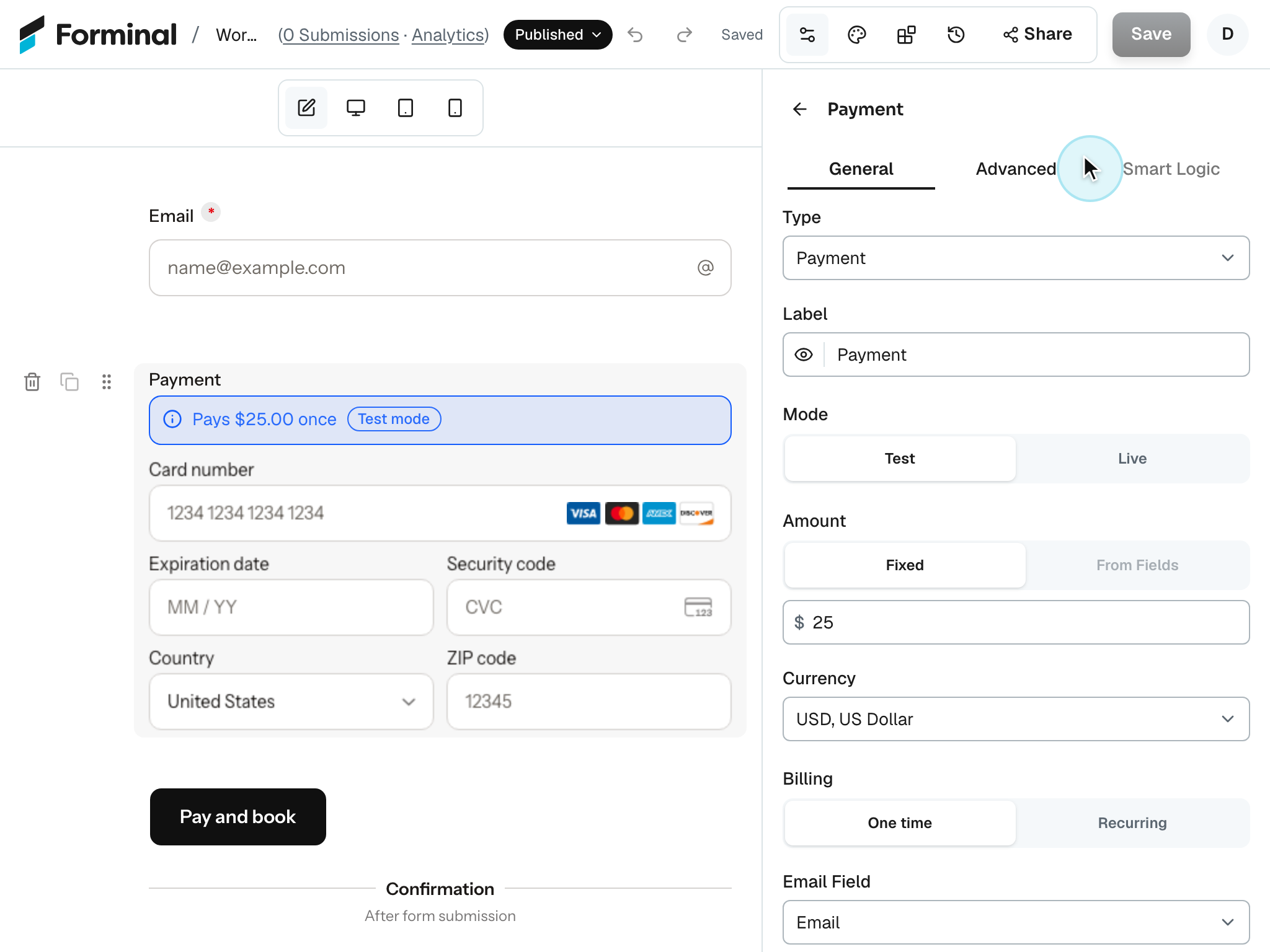
Pagamento raccoglie denaro come parte del modulo. Le persone pagano quando inviano il modulo e il denaro finisce nel tuo account Stripe. L'importo può essere fisso o può sommarsi in base alle risposte fornite dalle persone.
Esempi
- Registrazione a un workshop in cui ogni tipo di biglietto in un menu a discesa ha il proprio prezzo.
- Un abbonamento mensile fatturato su base ricorrente.
- Un modulo di donazione in cui le persone digitano l'importo che desiderano donare in un campo Numerico.
Configuralo
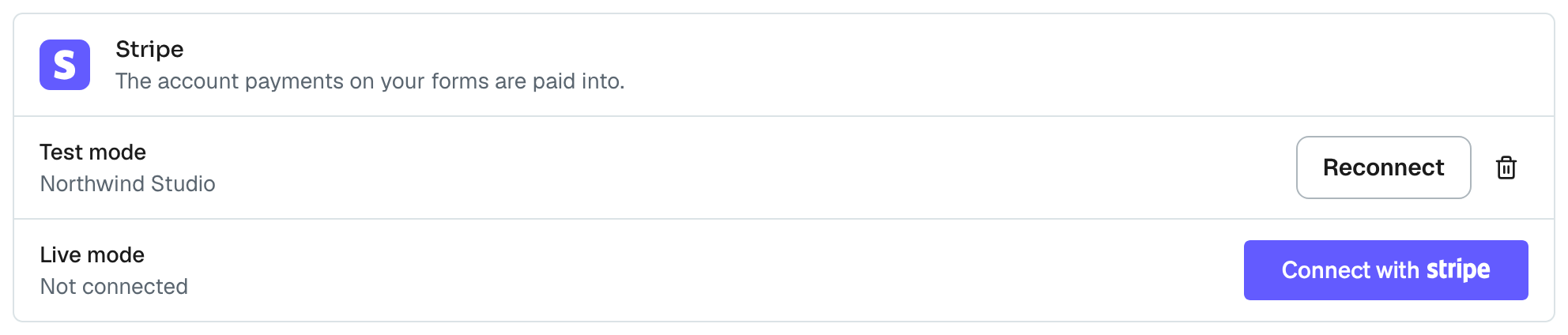
- Connect Stripe on the Integrations page of your account: open Account menu » Integrations. The Stripe section has a row for Test mode and a row for Live mode, and you select Connect with Stripe on each one you want to use. See Stripe.
- Aggiungi un campo Email al modulo. Il pagamento verrà addebitato a quell'indirizzo e il modulo non potrà essere pubblicato senza.
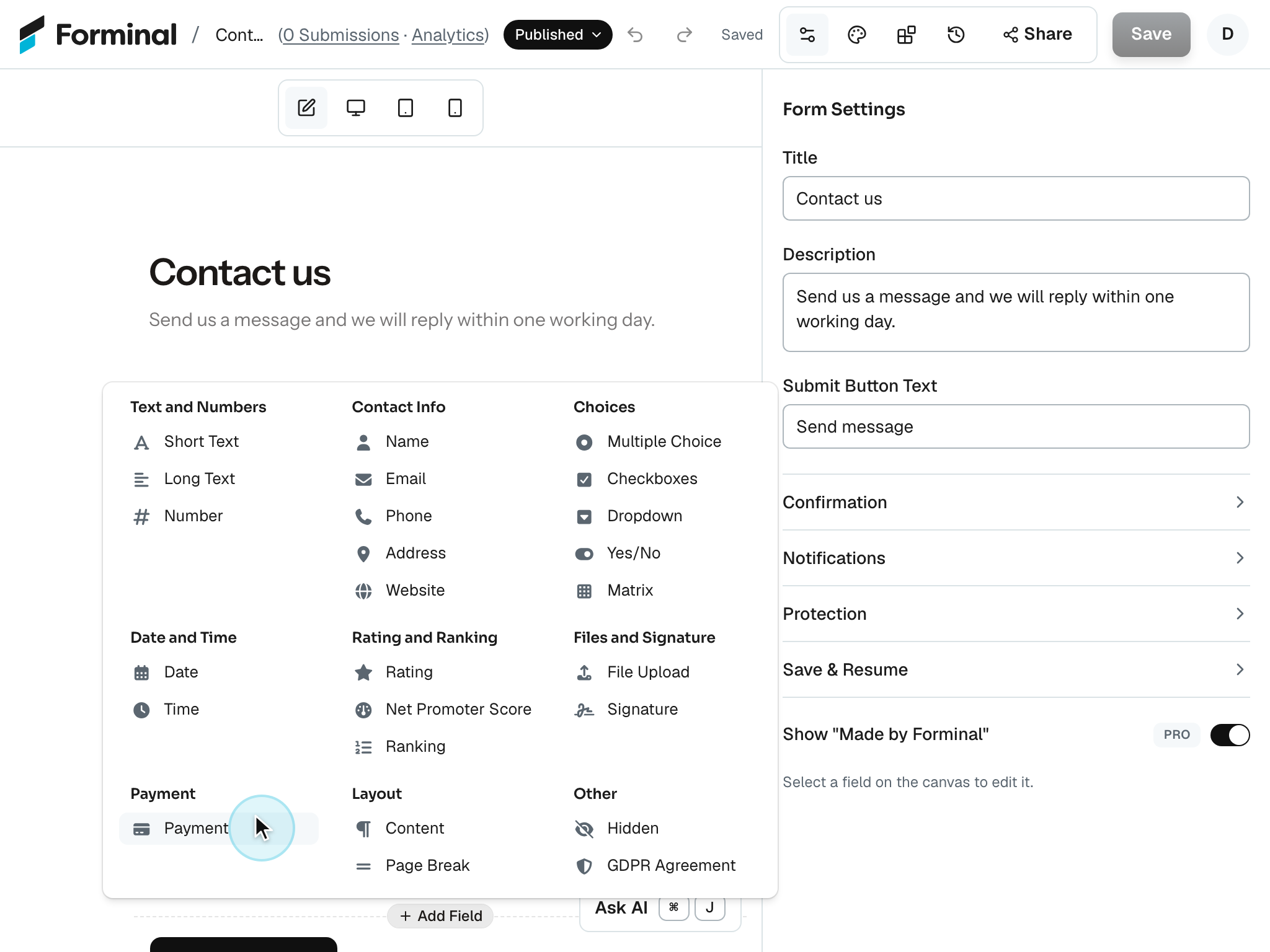
- Select Add Field and choose Payment. On an empty form, select Start from Scratch instead of Add Field. It starts in test mode, charging 10.00 USD once.
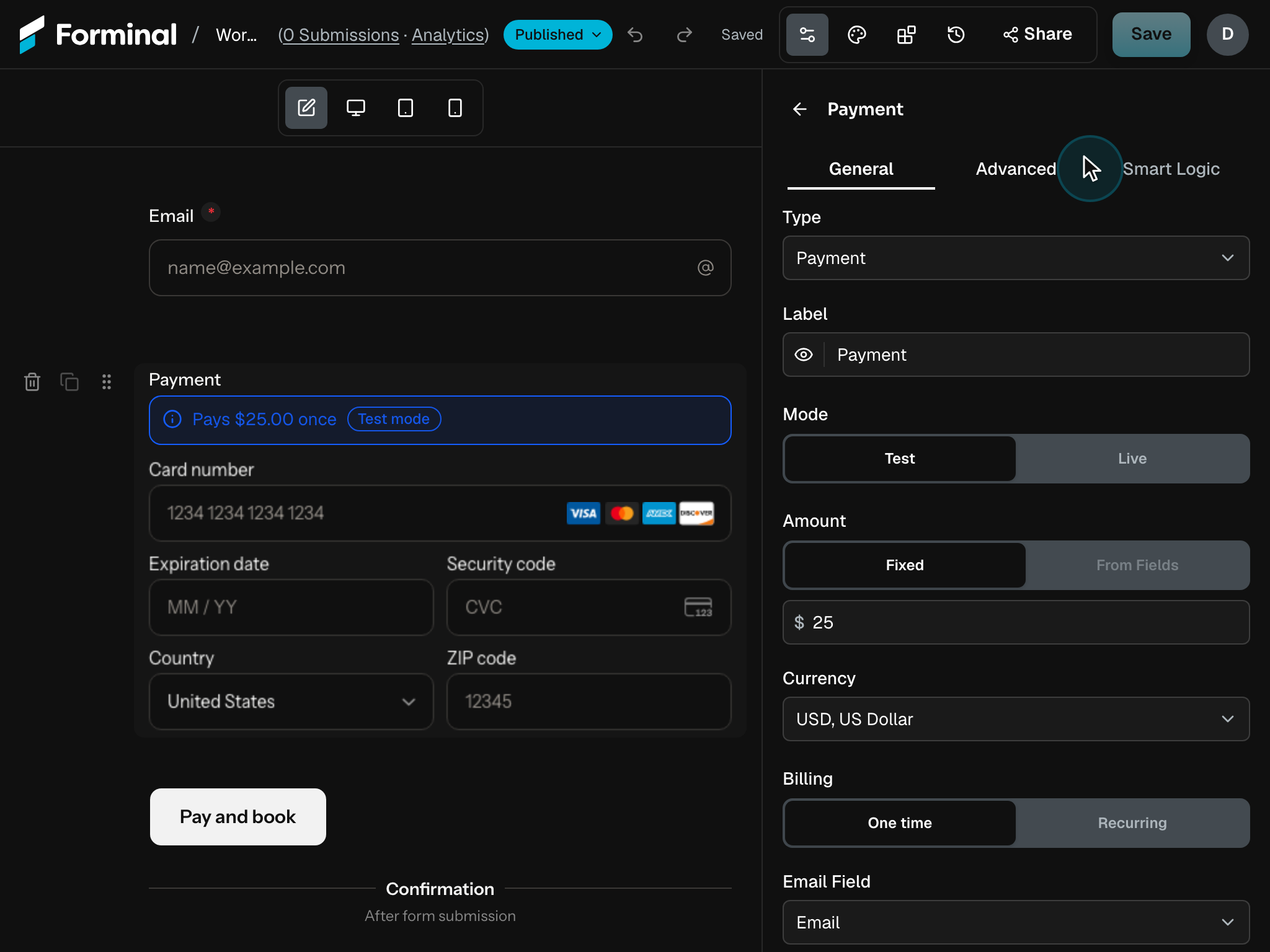
- Set the amount, currency and billing on the General tab, and the payment methods on the Advanced tab.
- Try the form in test mode with one of Stripe’s test cards. When it works, switch Mode to Live and publish.
Impostazioni
Scheda Generale
- Mode: Test or Live. Each mode uses the Stripe account you connected for it. If that mode has no account yet, a Manage accounts link appears here.
- Amount: Fixed charges the same amount every time. From Fields adds up the fields you pick under Amount Fields: the number typed into a Number field and the price of each option chosen in Multiple Choice, Checkboxes or a Dropdown. You can only pick From Fields once the form has one of those fields.
- Currency: any currency Stripe supports. If you change it, the amounts on the form are rounded to fit the new currency.
- Billing: One time, or Recurring. For Recurring, set Every and Interval (day, week, month or year). The longest gap between billings is 365 days, 156 weeks, 36 months or 3 years.
- Email Field: which Email field the payment bills to when the form has more than one. Stripe sends the receipt to that address, so the payment box never asks for an email itself. That Email field is always required.
Prezzi su altri campi
Once a form has a Payment field, Number and choice fields get Add to Payment Amount on their Advanced tab. It does the same as picking them under Amount Fields. A choice field then gets a price box next to each option, and Show Price After Item Labels prints the price after each option, like “Premium – $49.00”. For a total that multiplies or applies a discount, work it out in a Number field with Calculations and use that field as the payment amount.
Metodi di pagamento
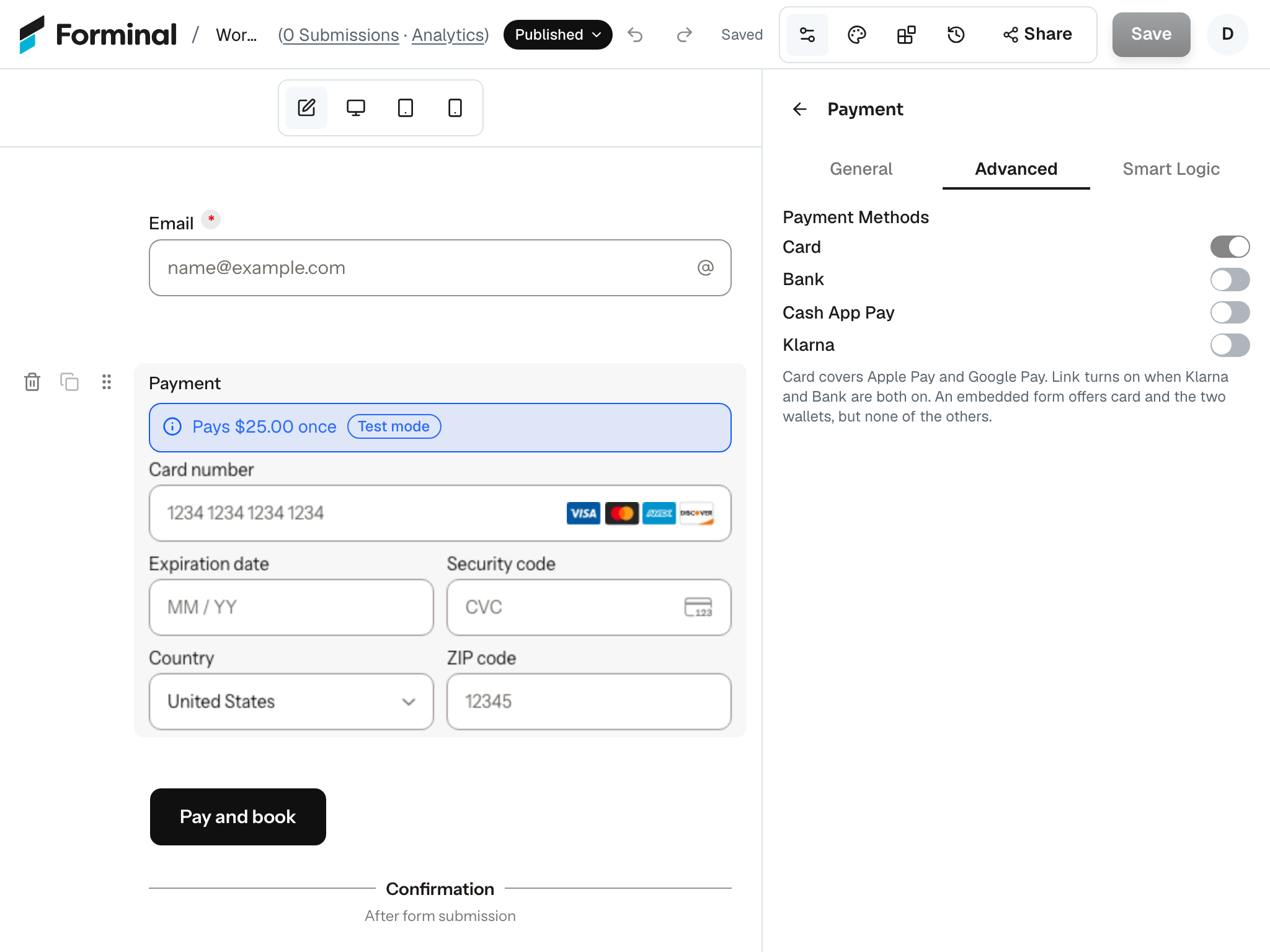
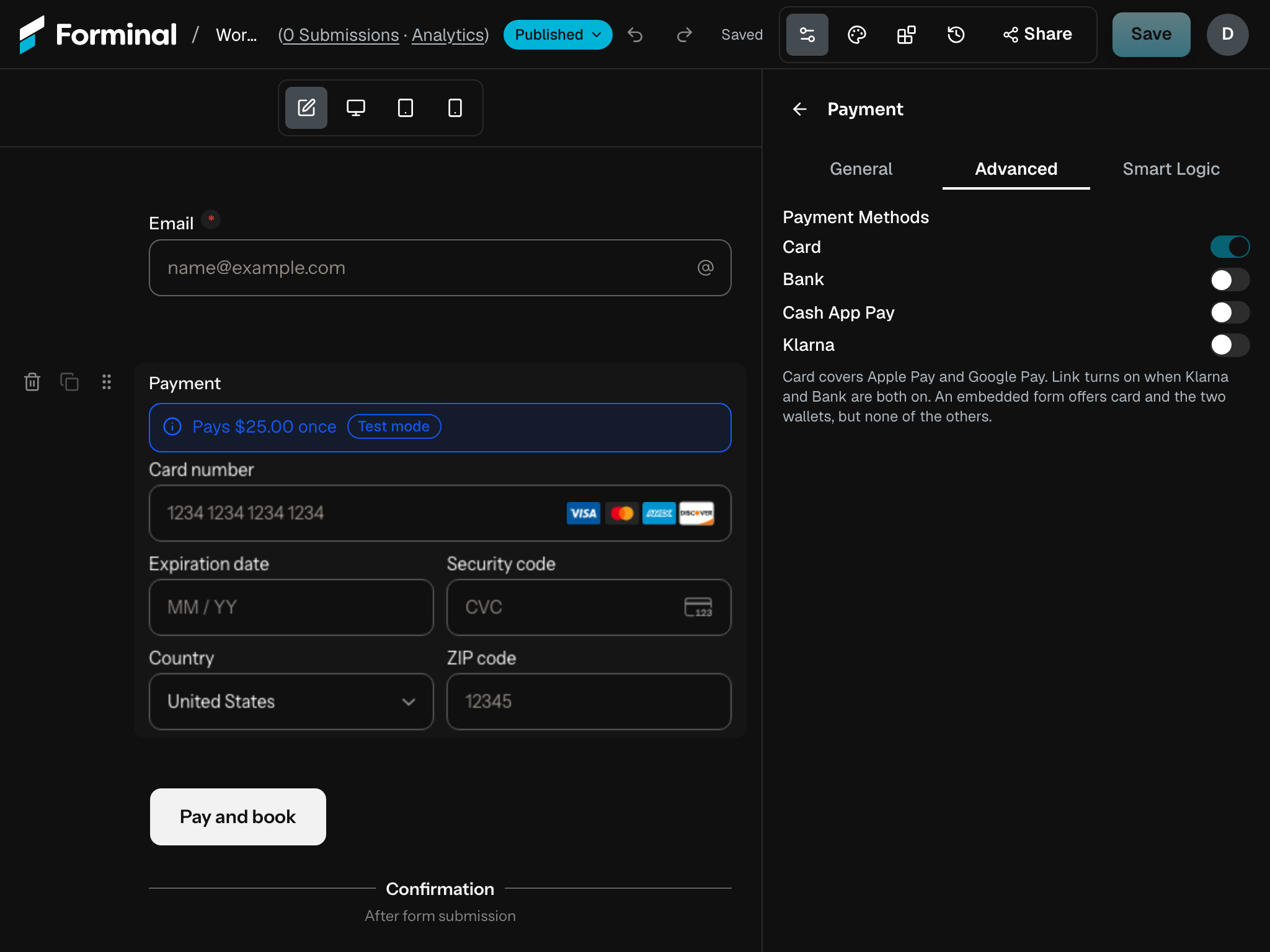
On the Advanced tab you choose what people can pay with: Card, Bank, Cash App Pay and Klarna. Card is always on, and it also covers Apple Pay and Google Pay. Link turns on by itself when both Klarna and Bank are on. Some methods have limits: Bank and Cash App Pay take USD only, Klarna takes a short list of currencies, and only Card and Bank can bill a recurring payment. If a method doesn’t fit your currency or billing, the panel tells you, and you can’t publish until you change it.
Cosa vede il pagatore
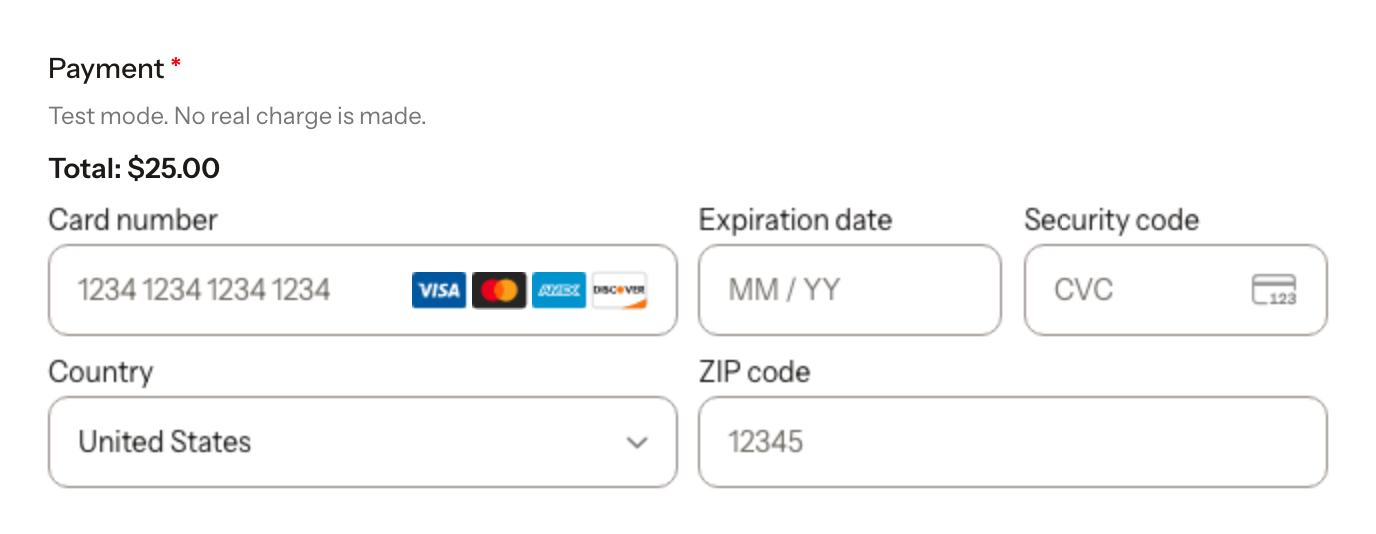
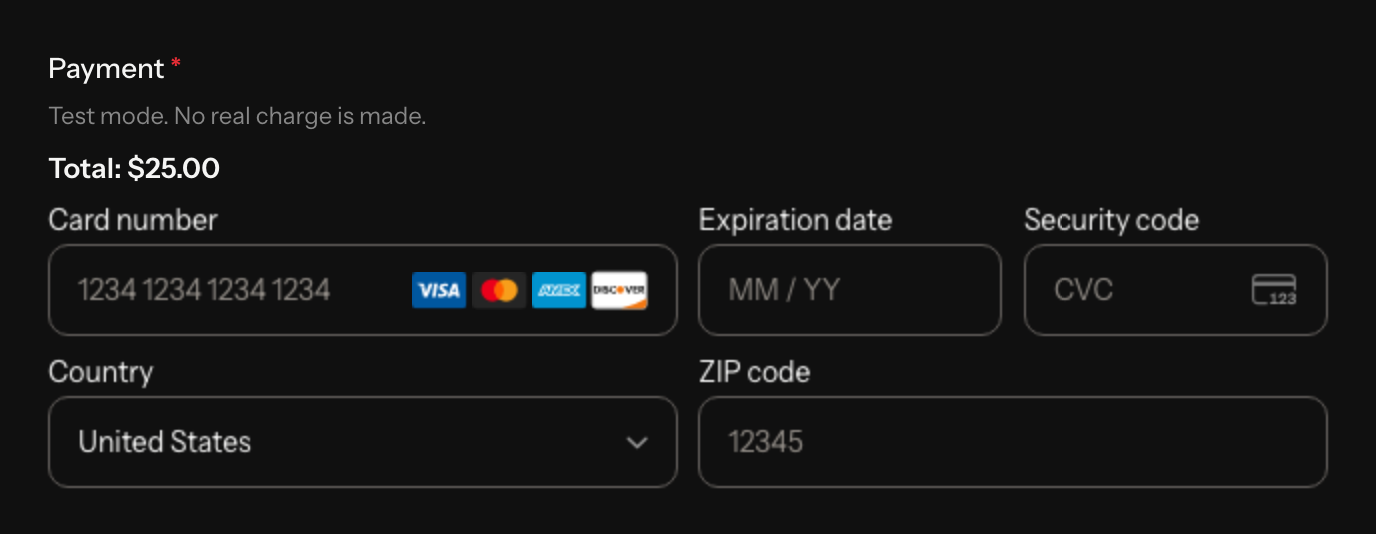
Il riquadro di pagamento mostra “Totale:” e l'importo, quindi i campi di Stripe per i metodi che hai attivato. Con i Campi personalizzati, il totale si aggiorna man mano che le persone rispondono e, finché non è superiore a zero, il riquadro dice “Inserisci un importo superiore per continuare”. In modalità di test dice anche “Modalità di test. Nessun addebito reale viene effettuato.”
Quando inviano, le loro risposte vengono salvate e il pagamento viene eseguito subito dopo. Se la carta viene rifiutata, possono correggere i dettagli e riprovare. I metodi che portano le persone su un'altra pagina, come Klarna, le riportano al modulo in seguito, e un breve messaggio dice loro se il pagamento è andato a buon fine o è ancora in elaborazione. Se Stripe non è connesso per la modalità del modulo, le persone vedono “I pagamenti non sono disponibili per questo modulo”.
Come i pagamenti vengono visualizzati nelle sottomissioni
The submissions table gets a Payment column with the amount and a status: Paid, Processing, Pending, Failed, Canceled, or Not completed for a payment that stayed pending for over an hour. Open a submission to see a Test mode tag for test payments, any failure message, and a View in Stripe link. The CSV export has a Payment column such as “paid 25.00 USD”.
Per una submission a pagamento, le email di notifica e le integrazioni attendono che Stripe confermi il pagamento, quindi non sarai informato sugli ordini che non sono mai stati pagati. L'email include quindi una riga Pagamento con l'importo. Un pagamento ricorrente appare in Stripe come abbonamento, sotto un prodotto chiamato come il tuo modulo.
Buono a sapersi
Un modulo può avere un solo campo Pagamento, e deve trovarsi nell'ultima pagina, quindi non puoi aggiungere un'interruzione di pagina dopo di esso. È sempre obbligatorio. Se la Logica Intelligente lo nasconde, la submission viene salvata senza addebito, e le submission contrassegnate come spam non vengono mai addebitate. Un modulo incorporato accetta solo pagamenti con carta, poiché metodi come Klarna, Bank e Cash App Pay dovrebbero uscire dal frame. Se Stripe disconnette il tuo account, il campo ti dice di riconnetterlo nella pagina Integrazioni.
Domande frequenti
Ho bisogno di un piano Forminal a pagamento per accettare pagamenti?
No, i pagamenti funzionano su ogni piano, incluso il piano Lite gratuito. Il denaro va al tuo account Stripe, si applicano le commissioni di Stripe e gestisci i rimborsi nella Dashboard di Stripe.
Quali metodi di pagamento possono usare le persone?
La carta è sempre attiva e copre anche Apple Pay e Google Pay. Nella scheda Avanzate puoi aggiungere Bank, Cash App Pay e Klarna. Bank e Cash App Pay accettano solo USD, e Klarna accetta un breve elenco di valute.
Posso addebitare un abbonamento ricorrente?
Imposta Fatturazione su Ricorrente e scegli ogni quanto. Solo Carta e Bank possono addebitare un pagamento ricorrente, e appare in Stripe come abbonamento.
Posso testare il modulo prima di addebitare denaro reale?
I nuovi campi di pagamento iniziano in modalità di test. Prova il modulo con una delle carte di test di Stripe, quindi cambia Modalità in Live e pubblica.
Riceverò una notifica per un ordine che non è mai stato pagato?
No. Per una submission a pagamento, le email di notifica e le integrazioni attendono che Stripe confermi il pagamento.
Le persone possono pagare in un modulo incorporato?
Un modulo incorporato accetta solo pagamenti con carta, perché metodi come Klarna, Bank e Cash App Pay dovrebbero uscire dal frame.