Zapier avvia uno Zap ogni volta che qualcuno invia il tuo modulo, in modo che le risposte possano raggiungere qualsiasi app con cui Zapier funziona. Costruisci lo Zap in Zapier con il trigger Forminal New Submission e il modulo lo avvia da quel momento in poi.
Esempi
- Invio di ogni lead da un modulo di richiesta preventivo al tuo CRM.
- Invio di un messaggio alla chat del tuo team quando arriva una nuova richiesta di supporto.
Configuralo
- Open the form in the builder, select Integrations in the top bar, then select Connect next to Zapier.
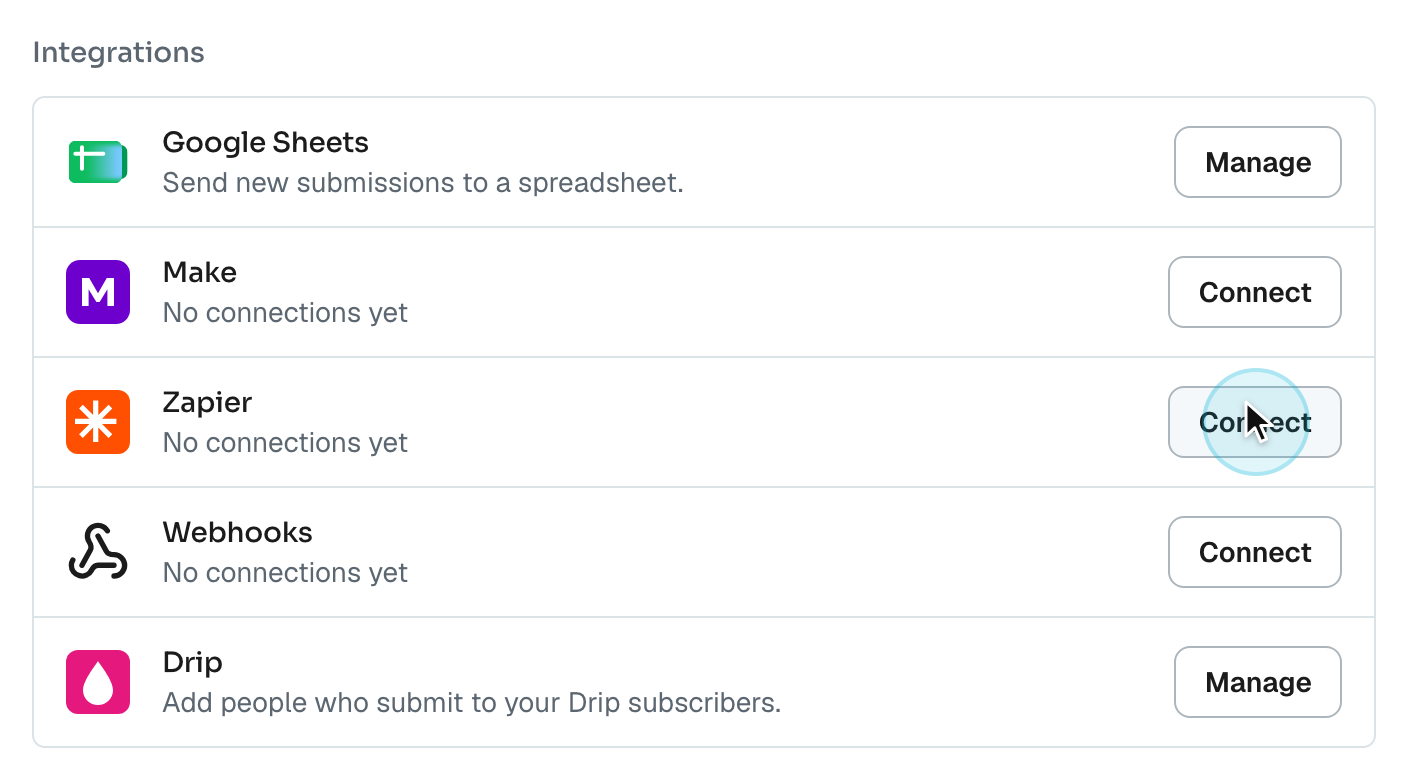
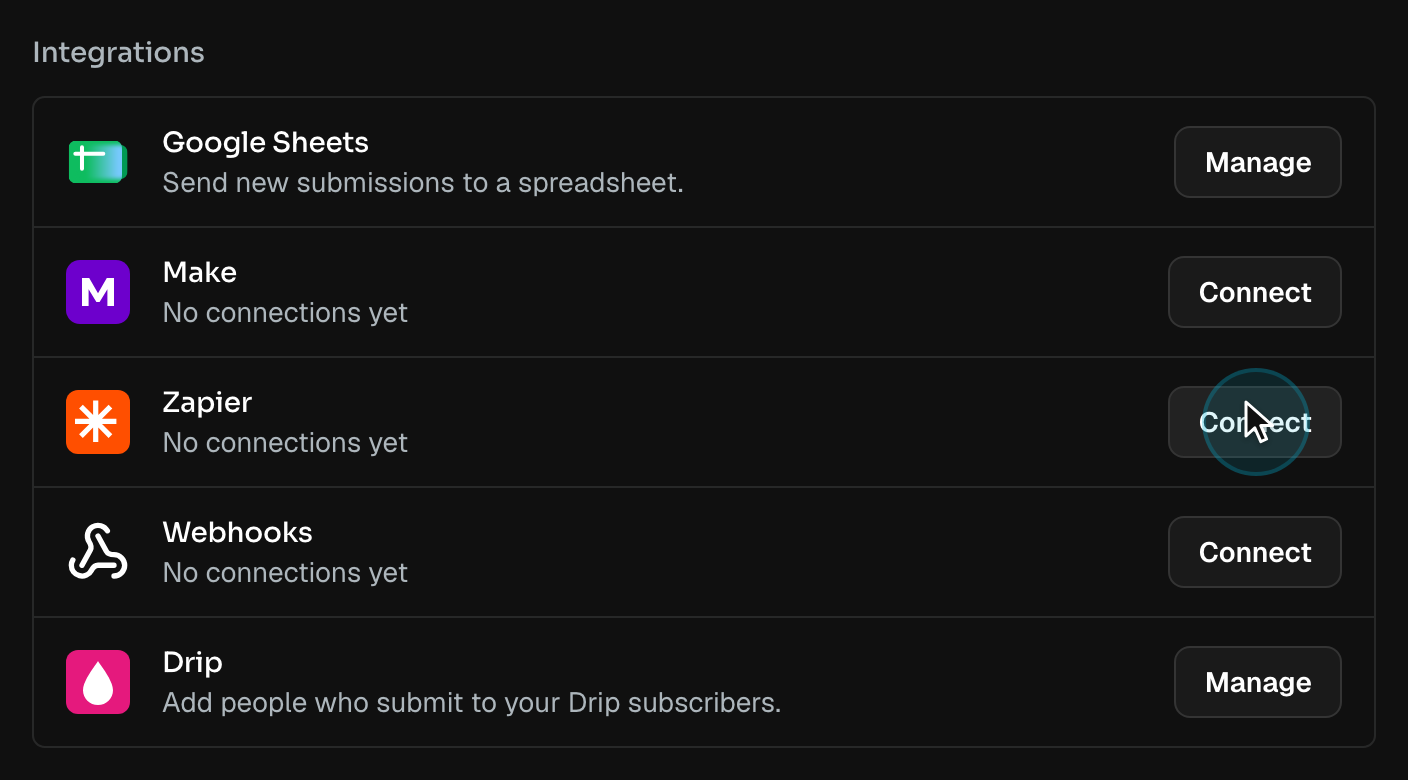
- Under Choose a Zap, select Use Template on the Scratch row. Zapier opens in a new tab.
- In Zapier, scegli Forminal come app di trigger e Nuova submission come evento.
- Sign in to Forminal when Zapier asks, and select Allow.
- Choose the form under Form. Name in Forminal is optional, and it’s the name the Zap gets on the form’s Zapier page.
- Testa il trigger. Zapier carica fino a tre degli ultimi invii del modulo, o un esempio se il modulo non ne ha ancora, in modo da poter mappare i campi prima che qualcuno abbia risposto.
- Aggiungi i tuoi passaggi di azione e pubblica lo Zap.
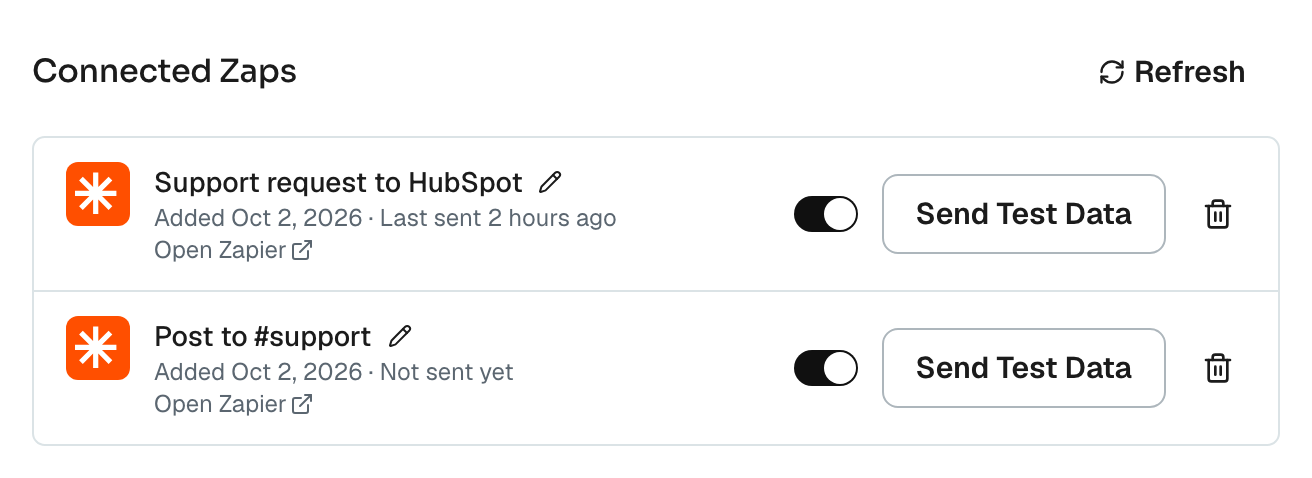
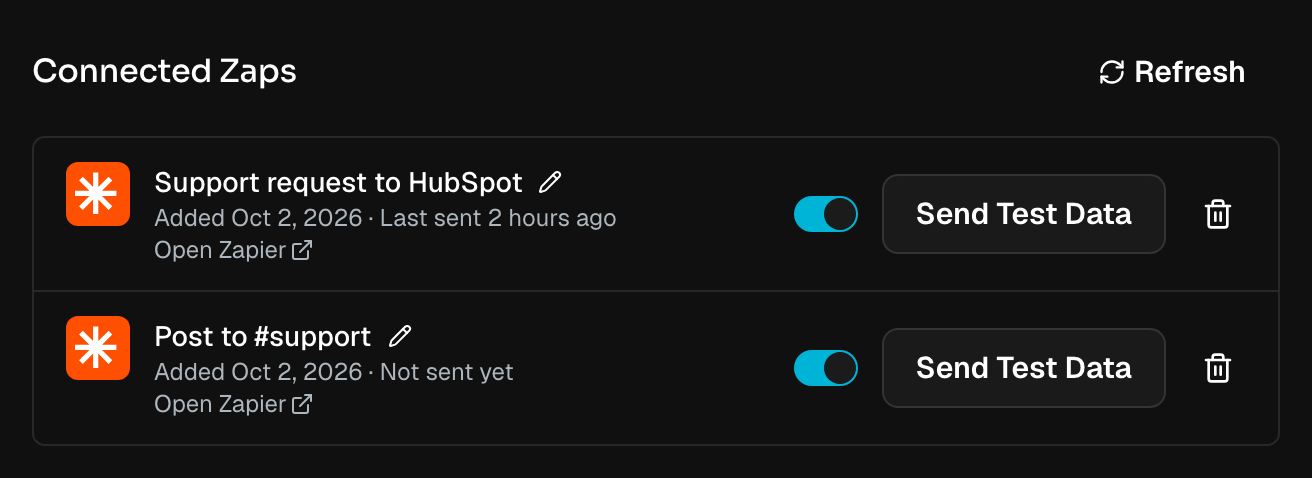
Steps 3 to 7 happen in Zapier. Once the Zap is on, it shows under Connected Zaps on the form’s Zapier page. Select Refresh if the page was already open. Each Zap has a switch to pause it, Send Test Data, a pencil to rename it, Open Zapier, the export button (the upload arrow) to export existing submissions, and a bin to delete it. A form can start up to 10 Zaps.
Cosa riceve lo Zap
Ogni invio arriva come un singolo elemento. Nell'editor di Zap vedrai ID invio, ID modulo, Titolo modulo, Inviato il, Pagina di origine, Browser, Tempo di completamento (s), Paese, Codice paese, UTM Source, UTM Medium, UTM Campaign, UTM Term, UTM Content, Tag, Stato pagamento e Importo pagamento (unità minori), e una voce per ogni domanda denominata secondo la sua etichetta. L'importo del pagamento è nell'unità più piccola della valuta, quindi 25,00 USD sono 2500.
Le voci delle domande sono indicizzate dall'ID del campo in background, quindi rinominare una domanda non interrompe i passaggi che hai già mappato. Le risposte sono testo leggibile anziché valori grezzi, e i caricamenti di file e le firme arrivano come collegamenti ai file, nel tuo Google Drive o nella tua libreria multimediale. Un collegamento alla libreria multimediale si apre solo per chi ha effettuato l'accesso con accesso agli invii del modulo o con una chiave API. L'elemento contiene anche le risposte indicizzate per etichetta e un elenco completo dei campi con i loro valori grezzi, per i passaggi che li richiedono.
Quando viene eseguito
The Zap starts right after each submission, once per submission. If the form has a Payment field, it waits until the payment is paid. Spam is never sent. Send Test Data on the form’s Zapier page sends one item filled with sample answers, marked as a test, and you can check it in the Zap’s history.
Se Zapier non risponde entro 10 secondi, non è raggiungibile, o risponde che è occupato o ha un problema al server, l'app tenta di nuovo un secondo dopo. Se anche questo fallisce, la riga dello Zap mostra "Impossibile inviare l'ultimo invio" con il motivo, e l'app riprova dopo 1, 5 e 30 minuti, poi dopo 2, 5 e 10 ore. Sono sette tentativi in circa 18 ore, e il messaggio viene cancellato una volta che uno va a buon fine. In rari casi un nuovo tentativo invia la stessa sottomissione due volte, ad esempio quando Zapier l'ha ricevuta ma ha risposto troppo tardi. Controlla l'ID di invio se una ripetizione è importante.
Invia le submission che hai già
The Zap gets the submissions that come in after you connect it. To run it for the ones the form already has, select the export button on the Zap’s row, then Export. The dialog says how many submissions that is. The Zap runs once per submission, oldest first, and uses your Zapier tasks each time. Only complete submissions that aren’t spam are sent, and a submission with a payment only once it’s paid.
They go in the background, after new submissions and at most 50 a minute. The row shows the progress on one line, such as “Exporting · 120 of 400 sent · Stop export”. Select Stop export to drop the ones still waiting. Running it again sends everything again. It won’t start while the row is off or while it’s already exporting.
Disconnetti
Turning a Zap off or deleting it in Zapier removes it from the form’s Zapier page. If you delete the row here instead, with the bin and then Delete, the Zap stops getting this form’s submissions; turn it off and on again in Zapier to reconnect it. To disconnect Zapier from your account, open Account menu » Integrations and select the bin on the Zapier card. That signs Zapier out and removes every Zap connection it made.
Buono a sapersi
A paused row sends nothing, and Send Test Data works only while the row is on, up to 20 tests a minute. If Zapier reports that a Zap is gone, the app removes its row instead of retrying.
Domande frequenti
Posso testare il mio Zap prima che qualcuno compili il modulo?
Sì. Quando testi il trigger, Zapier carica fino a tre degli ultimi invii del modulo, o un campione se il modulo non ne ha ancora. Invia dati di test sulla pagina Zapier del modulo invia un altro campione, contrassegnato come test.
Il mio Zap si interromperà se rinomino una domanda?
Le voci delle domande sono identificate internamente dall'ID del campo, quindi i passaggi che hai già mappato continuano a funzionare dopo una rinomina.
Perché l'importo del pagamento viene mostrato come 2500 invece di 25,00?
Zapier riceve l'importo del pagamento nell'unità più piccola della valuta, quindi 25,00 USD arrivano come 2500.
Cosa succede se Zapier non è raggiungibile?
Forminal ci riprova un secondo dopo. Se anche questo fallisce, la riga dello Zap mostra Impossibile inviare l'ultimo invio con il motivo, e l'app continua a provare per circa 18 ore, sette tentativi in tutto.
Come riconnetto uno Zap dopo averlo eliminato dalla pagina Zapier del modulo?
Disattiva e riattiva lo Zap in Zapier. Questo lo riconnetterà agli invii del modulo.
Posso inviare le sottomissioni che ho già al mio Zap?
Sì. Nella pagina Zapier del modulo, seleziona il pulsante di esportazione nella riga dello Zap, quindi Esporta. Ogni sottomissione passata esegue lo Zap una volta, dalla più vecchia, e utilizza le attività Zapier.