Every form already has a hidden honeypot field. People never see it, but bots tend to fill it in, and on a form without a CAPTCHA those submissions go to the Spam tab of the form’s Submissions page instead of with the real submissions. Each address can also send at most 10 submissions a minute to a form. For the bots that get past both, turn on a CAPTCHA: a check from Google, Cloudflare or hCaptcha that runs before a form accepts a submission.
You use your own keys from the provider, and a form runs one CAPTCHA at a time. If you are not sure which to pick, start with Cloudflare Turnstile. Most visitors pass it without clicking anything, and it also works on forms you serve from a custom domain.
Examples
- A contact form on a busy website, where the honeypot alone keeps the submissions clean.
- A giveaway entry form that bots flood, embedded on your site with Cloudflare Turnstile turned on.
In this article
- reCAPTCHA: v2 Checkbox, v2 Invisible and v3
- Cloudflare Turnstile
- hCaptcha
reCAPTCHA
Google offers three versions, and each needs its own key made for that version. All three work on forms served from a custom domain as well.
reCAPTCHA v2 Checkbox
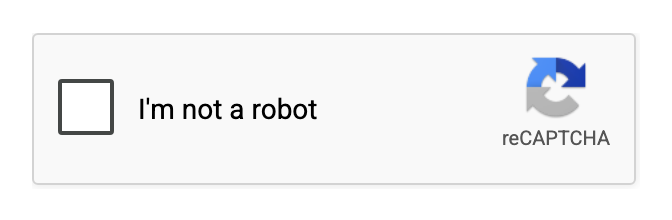
Visitors tick “I’m not a robot” before they submit, and Google sometimes asks them to pick out images as well. Pick it when you want visitors to see that the form is checked. The trade-off is one more click for everybody.
reCAPTCHA v2 Invisible
There is no checkbox. Google checks the visitor when they submit and shows an image challenge only when it isn’t sure. The form shows one line under the questions instead of a widget: “This site is protected by reCAPTCHA and the Google Privacy Policy and Terms of Service apply.” Pick it when you want the check out of the way. The trade-off is that a visitor Google doubts gets the image puzzle after pressing submit, with no warning.


reCAPTCHA v3
Visitors don’t click anything and never see a challenge. Google scores each submission from 0 to 1, and anything under your Lowest passing score, 0.5 to start with, is turned away. The form shows the same line about reCAPTCHA as v2 Invisible, shown above. The trade-off is that a real person Google scores low can’t get through and has no puzzle to prove otherwise, so lower the score if that happens.
Cloudflare Turnstile
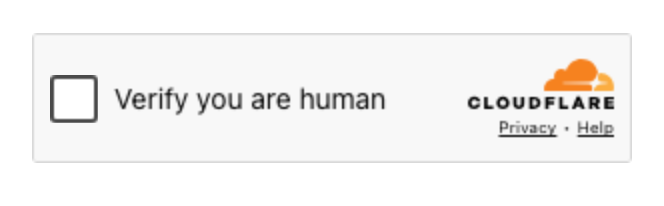
Cloudflare’s check sits above the submit button. Most visitors pass it without clicking anything, and some are asked to tick “Verify you are human”. It works on forms served from a custom domain too. The trade-off is that the widget always takes up a little room on the form, even when nobody has to click it.
hCaptcha
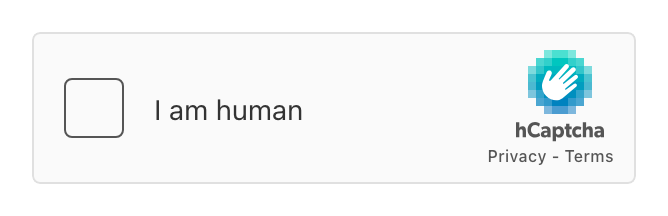
A checkbox, like reCAPTCHA v2 Checkbox, that shows an image challenge when a visitor looks suspicious. Pick it if you’d rather not use Google or Cloudflare. The trade-off is a click for every visitor, and it doesn’t work on a custom subdomain such as forms.example.com.
Frequently asked questions
Are blocked submissions saved?
It depends on what blocked them. On a form without a CAPTCHA, a submission that fills in the honeypot is saved and marked as spam, so you find it on the Spam tab of the form’s Submissions page and can select Not spam if a person sent it. If it never reached your notification emails and integrations, they get it then, as long as it’s less than 30 days old. With a CAPTCHA on, the check comes first: a submission without a passing check is not saved, and the visitor sees “Complete the CAPTCHA and try again.” One that passes the check but fills in the honeypot still goes under Spam. Submissions over the limit of 10 a minute are not saved either.
Does spam protection work when the form is embedded on my site?
Yes, in an inline embed and in a popup. An embedded form still runs on app.forminal.ai, so that is the host every key has to allow, not the address of your own site.
Does a CAPTCHA work on a custom domain?
reCAPTCHA and Cloudflare Turnstile do, once you add the exact hostname the form runs on, such as forms.example.com, to the key. hCaptcha doesn’t work on a custom subdomain such as forms.example.com, so use one of the other two on forms you serve from one.
Which plans include spam protection?
Every plan, Lite included. The honeypot is on for every form, and a CAPTCHA needs only your own keys from the provider.
Can a form use more than one CAPTCHA?
No. A form runs one at a time, and selecting Use on another provider switches the form to it. Turning a CAPTCHA on or off applies at once, also on a published form.
What happens if I remove my CAPTCHA keys?
Forms that used them keep working, without a CAPTCHA, until you save keys again. The form’s row then reads “Keys removed, so this form has no CAPTCHA”.
Can scripts still submit through the API?
Not while a CAPTCHA is on. Only a browser that passed the check can submit the form, so scripts that post straight to the submit address are turned away.
Does my CAPTCHA provider see the visitor’s IP address?
Yes. The CAPTCHA loads from your provider in the visitor’s browser, so the provider sees their IP address the way any embedded content does.