Send a PDF, a photo of a paper form or a screenshot to the AI app you already use, such as Claude or ChatGPT, and ask it to make the form in Forminal. The app reads the file, works out the questions and builds the form on your account through the Forminal MCP server.
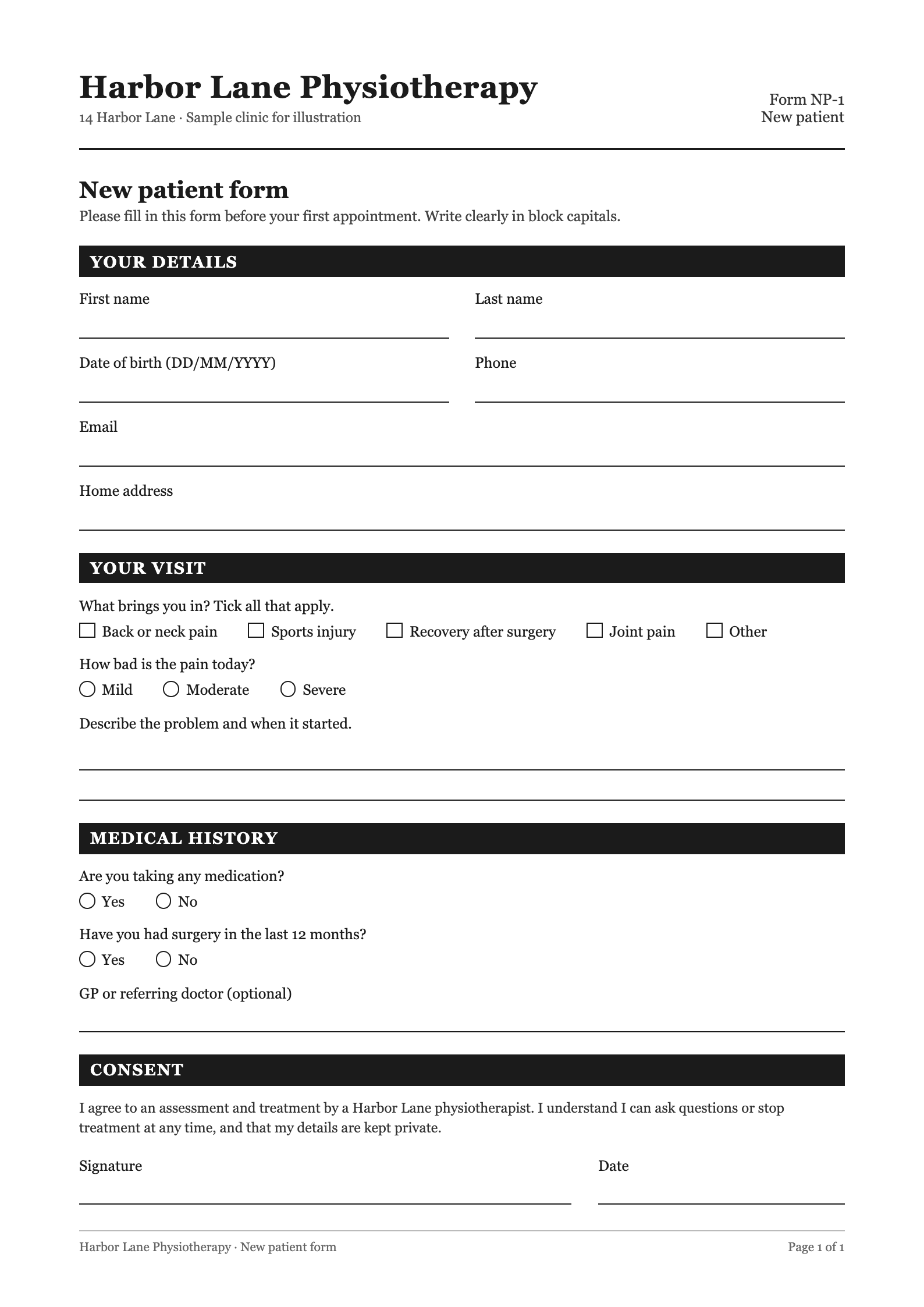
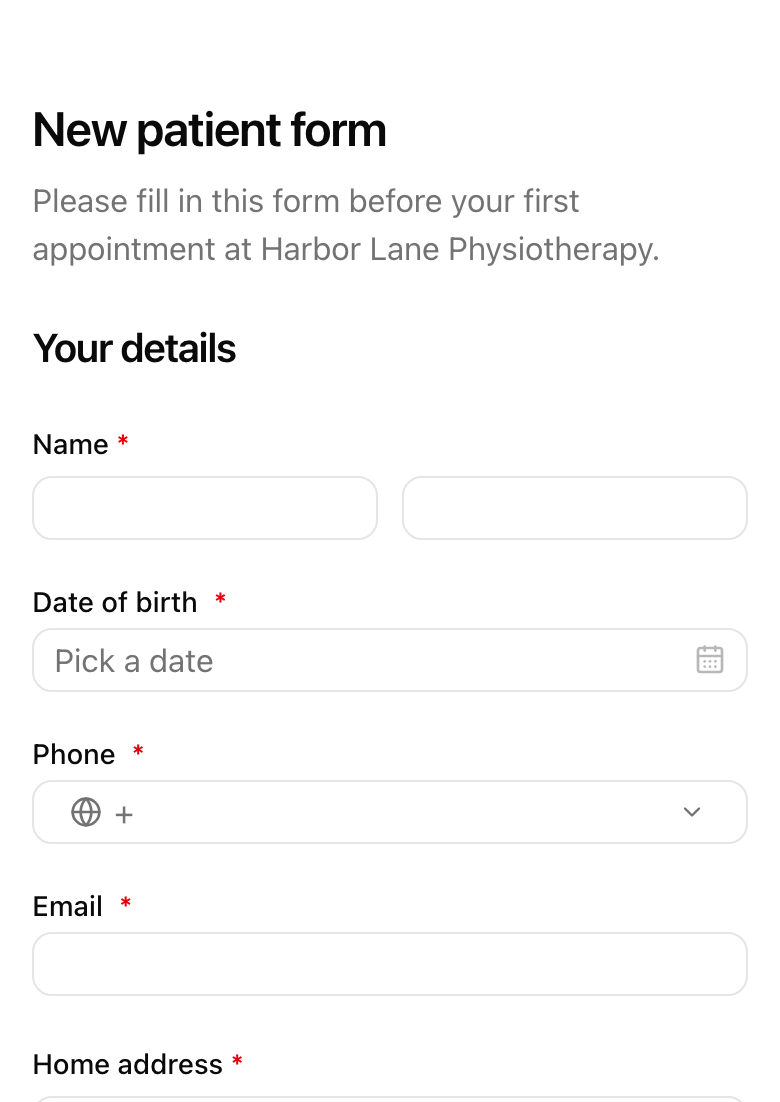
To try it, download the sample new patient form (PDF) and send it to your AI app with the steps below.
What you can turn into a form
- A PDF intake or registration form your clients print, fill in by hand and scan back.
- A photo of a paper sign-up sheet or a permission slip.
- A screenshot of a form on another service you want to move away from.
- A Word or Google Docs questionnaire, saved as a PDF.
Connect your AI once
Add the Forminal MCP server to your AI app and sign in to your Forminal account in the browser window it opens. You only do this once. Connect your AI has the steps for each app:
- Claude, on claude.ai or in the desktop app.
- ChatGPT, on the web.
- Claude Code, Cursor and Codex, if you work in code.
Send the file and ask
- Start a chat with Forminal turned on. In Claude, select + and turn it on under Connectors. In ChatGPT, type @ and pick Forminal.
- Attach the PDF, the screenshot or the photo, the way you attach any file in that app.
- Ask for the form. One sentence is enough:
Make this PDF into a Forminal form. Keep the questions and their order.
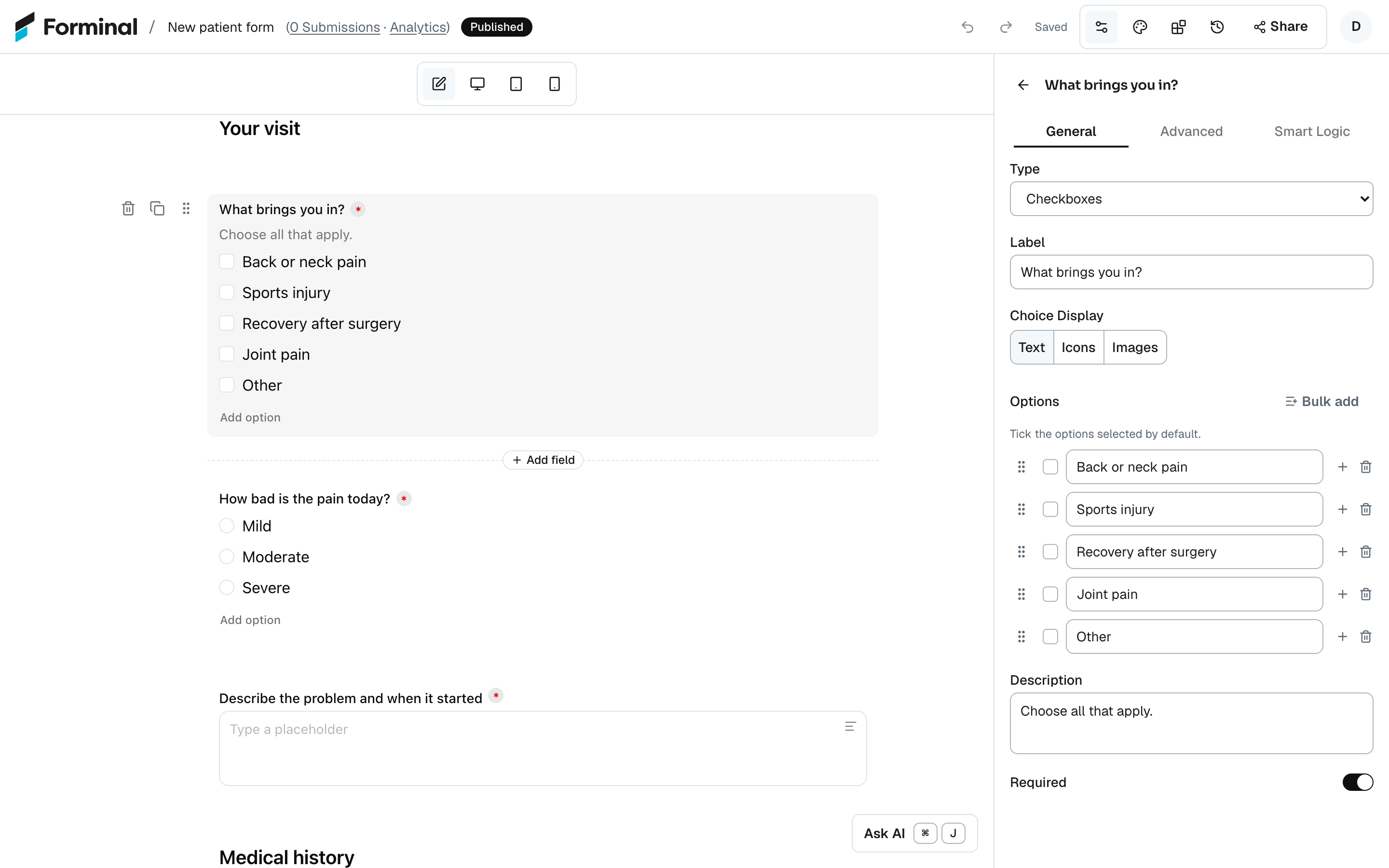
- The app creates the form as a draft and gives you a link to it. Open it in the builder to check it, or keep asking for changes in the chat.
- When it’s right, ask the app to publish it and give you the link or the embed code.
Prompts to copy
A request that says more gets a closer first draft. Send these with your file, or later in the same chat once the form exists.
Build it from the file
Recreate the form in this screenshot in Forminal. Use the closest field type for each question: a date picker for dates, choices for tick boxes and a signature at the end.
Turn this PDF into a Forminal form with one page for each section and a progress bar at the top.
This is a photo of a paper sign-up sheet. Build a Forminal form that asks for the same columns, one person per submission.
Change what it built
Make the name, email and date of birth required, and every other question optional.
Remove the fax number and add a file upload for a photo of the referral letter.
Only ask “What surgery did you have?” when someone answers Yes to surgery in the last 12 months.
Email me each time someone sends the form.
Publish and share
Publish the form and give me its link.
Give me the embed code to show the form as a popup on my website.
Once answers come in
How many people sent the new patient form this week, and what brought them in?
What you get
An ordinary Forminal form, with the field types the original calls for: text, email, phone, dates, choices, checkboxes, ratings, file uploads, signatures and more. You can share it as a link or embed it on your site, and the answers come in typed and in one place, not as scans. You can change any part of it by hand, and each edit keeps the earlier form as a version in its Version History.
Good to know
Your AI app reads the file, and Forminal only receives the form the app builds from it, so the PDF or image is never stored on your Forminal account. Check the draft before you publish it: handwriting, a blurry photo or a crowded layout can make the app misread a question. You don’t need a date field next to the signature: every submission is saved with the time it was sent. The app works as you, on your plan, so when the original asks for something your plan doesn’t include, such as a form without the Forminal branding, the form is still saved and the app tells you what the published form does instead. The MCP Server page has everything else the app can do for you.
Frequently asked questions
Do I need a paid plan to turn a PDF into a form?
No. Your AI app works as you, on your plan. If the original asks for something your plan doesn’t include, the form is still saved and the app tells you what the published form does instead.
Which AI apps can build the form?
Any app that can connect an MCP server, including Claude on the web or the desktop app, ChatGPT, Claude Code, Cursor, Codex, Gemini CLI and VS Code. Connect your AI has the steps for each one.
Do I need a Forminal account?
Yes. You sign in to Forminal, or create an account, when you connect the app, and the new form is saved on that account as a draft.
What if my PDF has more questions than one form can hold?
A form can hold up to 50 fields, and page breaks count toward that. A longer document has to be split across more than one form.