When answers need to reach your own system, such as an app that creates an account for each sign-up or a service that opens a ticket for each support request, a webhook sends every new submission to a URL you choose. Each request is signed, failed ones are tried again, and a log shows exactly what was sent. Webhooks work on every plan.
Add the webhook
- Open the form in the builder, select Integrations in the top bar, then select Connect next to Webhooks.
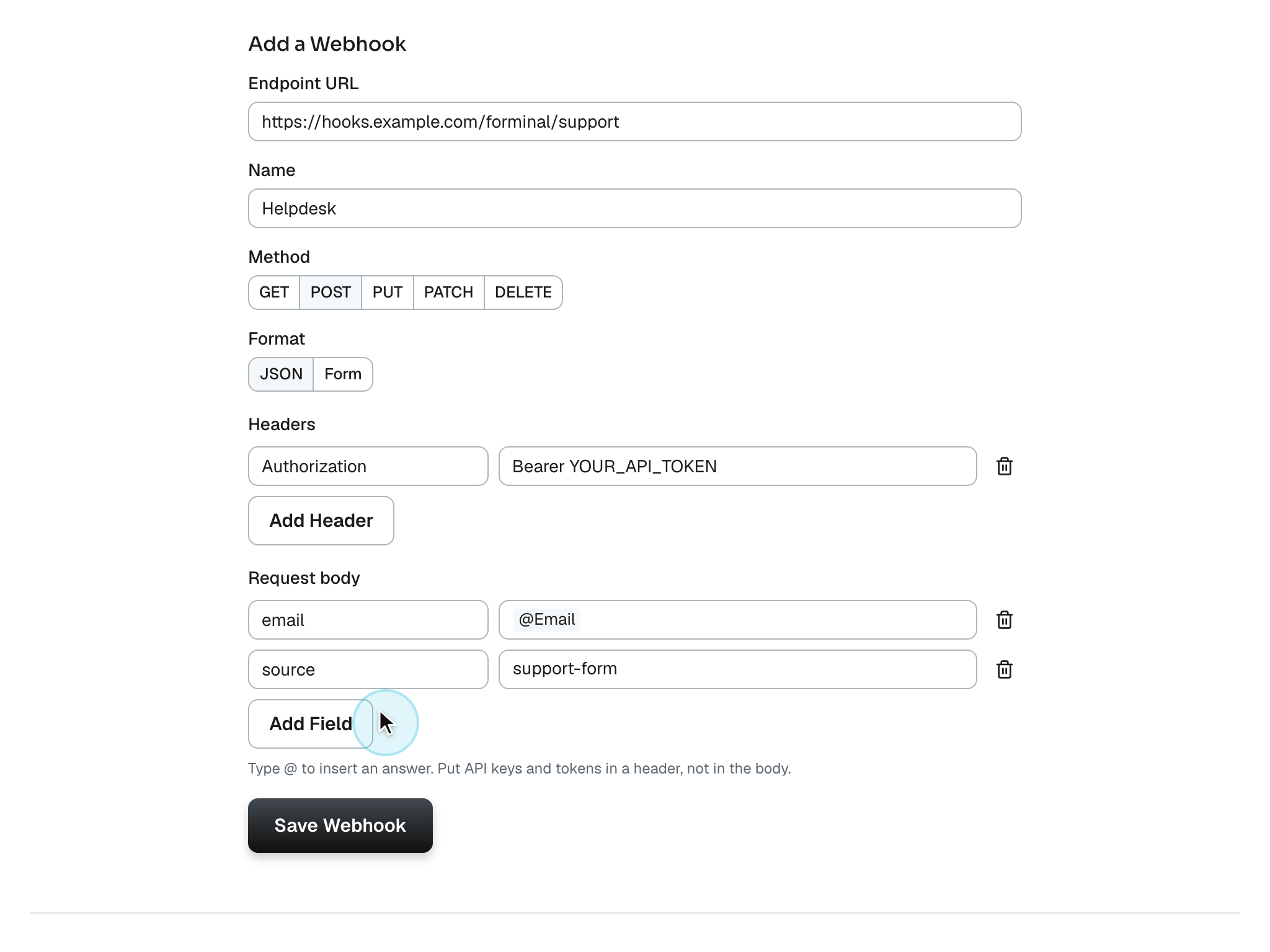
- Under Add a Webhook, paste your URL. It has to start with https:// and point at a public address.
- Give it a Name if you like. Left empty, the webhook is named after the URL’s host.
- Under Method, choose GET, POST, PUT, PATCH or DELETE. POST is picked to start with.
- Under Format, choose JSON or Form. GET has no format, because it sends the body as a query string.
- If your endpoint expects a key or a token, select Add Header and enter it, such as Authorization with Bearer and your token.
- Select Save Changes.
Decide what goes in the body
Leave Request Body empty, and your endpoint gets the full submission as one document:
event: always submission.created, withtestset to true for test data.form: the form’s ID and title.submission: its ID, when it came in, the page it was sent from, the country, its UTM values when the link had any, and the payment on a form that takes one.answers: each answer as text, keyed by the question’s label.answersById: the same answers keyed by field ID, which doesn’t change when you rename a question.fields: each field’s ID, type, label, answer as text and raw value.
If your API expects its own shape, select Add Field under Request Body for each key it wants, and type @ in the value to insert an answer. The body then holds only those keys. File uploads and signatures come through as links to the files.
Send a test
The saved webhook appears under Connected Webhooks. Select Send Test Data on its row, and your endpoint gets a request with sample answers and test set to true, so you can check your code before a real submission arrives.
Check that the request came from Forminal
Anyone who learns your URL could post to it, so check every request before you trust it. Each one is signed following the Standard Webhooks specification, in three headers: webhook-id, webhook-timestamp and webhook-signature. Find the secret on the webhook’s page under Signing Secret and select Reveal. A Standard Webhooks library checks the signature for you and refuses a request whose signature doesn’t match.
webhook-id stays the same when a delivery is retried, so use it to skip one you’ve already handled. If the secret leaks, select Rotate. The old one stops working at once, so update your endpoint right after.
When your server is down
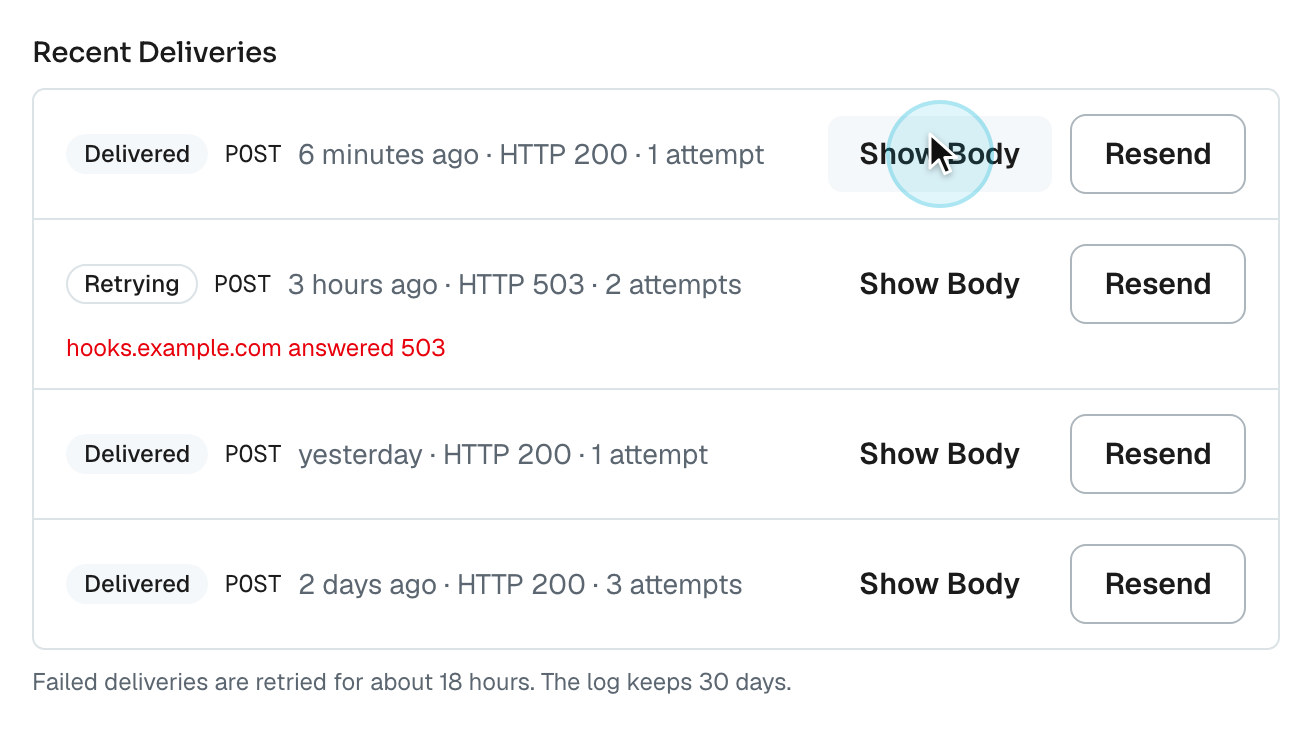
Any 2xx answer counts as delivered. If your endpoint doesn’t answer within 10 seconds, can’t be reached or answers with an error, the delivery is tried again after 1 minute, then 5 and 30 minutes, then 2, 5 and 10 hours: seven attempts over about 18 hours. Redirects aren’t followed, so a 3xx answer counts as a failure, and an answer of 410 Gone stops the retries at once. A retry goes to the URL and headers the webhook has at that moment, so fixing a wrong URL also fixes the deliveries waiting for it.
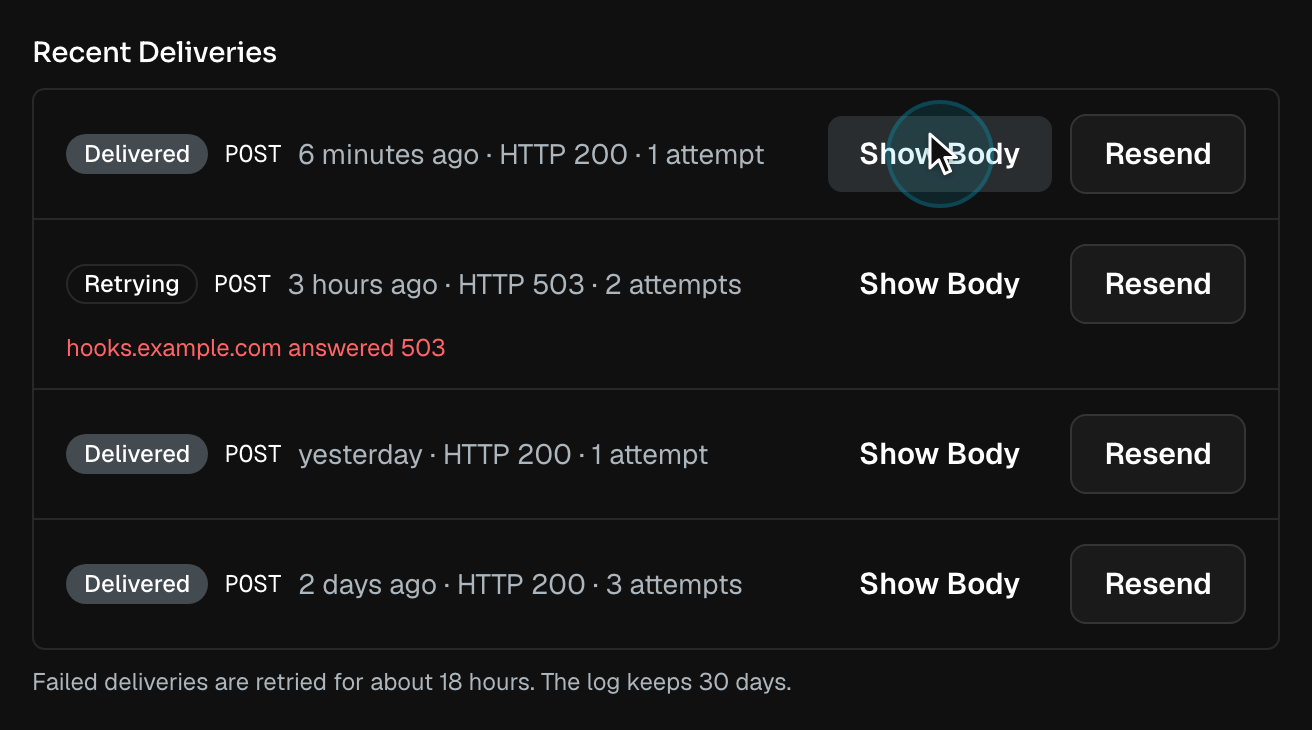
Recent Deliveries on the webhook’s page lists the newest 50, each as Delivered, Retrying or Failed, with the last status code and the number of attempts. Select Show Body to see exactly what was sent, or Resend to send it again now. Deliveries stay in the log for 30 days.
Good to know
- Spam is never sent, and on a form with a Payment field the request waits until the payment is paid.
- A form can send to up to 10 webhooks, each with up to 10 headers and 50 body fields.
- Put API keys and tokens in a header, not a body field. Header values are stored encrypted and never shown again, while body fields show on the webhook’s page.
The Webhooks page has the full payload, both formats and every limit. To fetch submissions on your own schedule instead, see Use the REST API.
Create a free account and send your first test request to your own endpoint.