Cuando las respuestas necesiten llegar a tu propio sistema, como una aplicación que crea una cuenta por cada registro o un servicio que abre un ticket por cada solicitud de soporte, un webhook envía cada nuevo envío a una URL que tú elijas. Cada solicitud se firma, las fallidas se reintentan y un registro muestra exactamente lo que se envió. Los webhooks funcionan en todos los planes.
Añadir webhook
- Open the form in the builder, select Integrations in the top bar, then select Connect next to Webhooks.
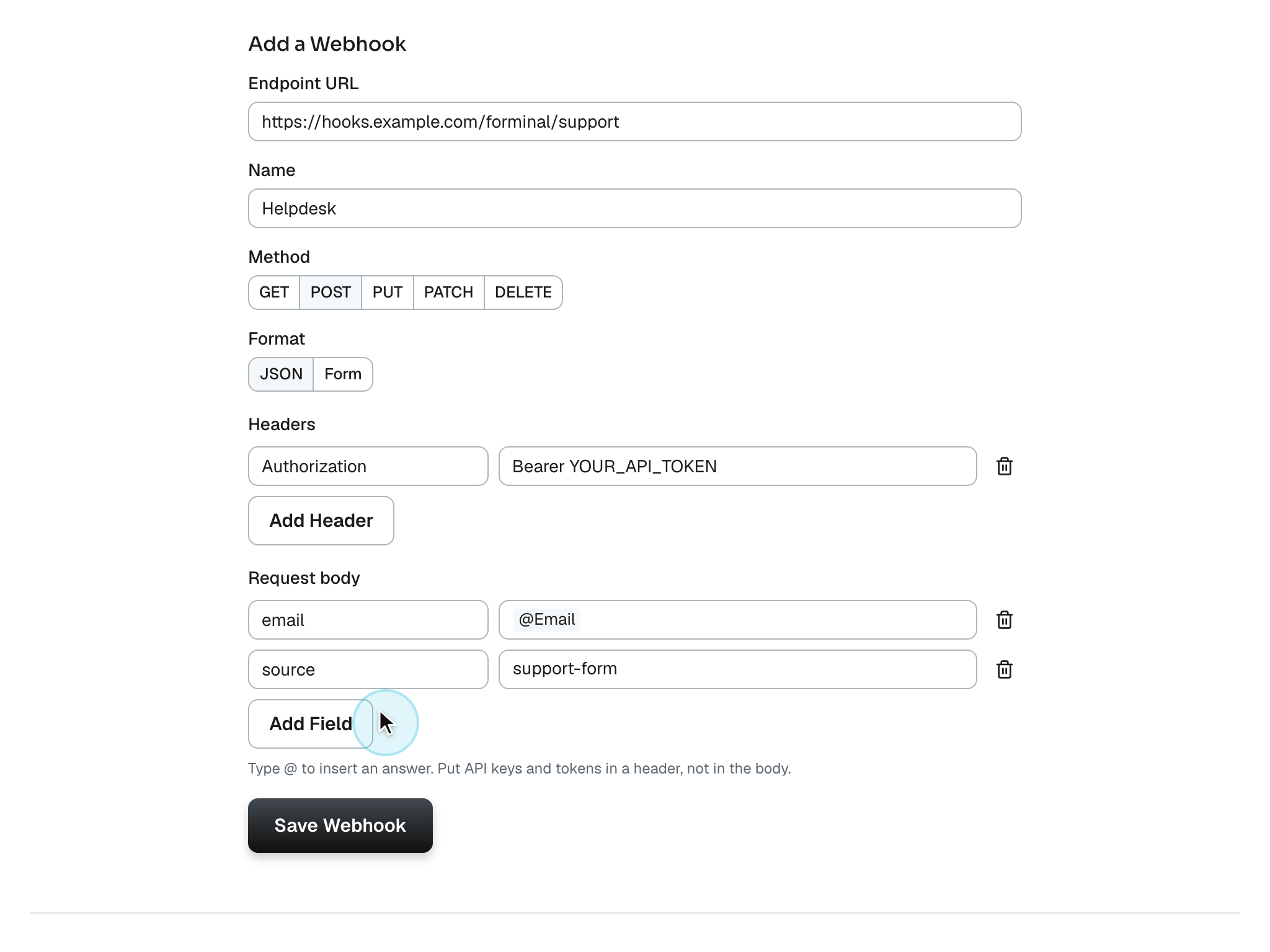
- Under Add a Webhook, paste your URL. It has to start with https:// and point at a public address.
- Give it a Name if you like. Left empty, the webhook is named after the URL’s host.
- Under Method, choose GET, POST, PUT, PATCH or DELETE. POST is picked to start with.
- Under Format, choose JSON or Form. GET has no format, because it sends the body as a query string.
- If your endpoint expects a key or a token, select Add Header and enter it, such as Authorization with Bearer and your token.
- Select Save Changes.
Decide qué va en el cuerpo
Leave Request Body empty, and your endpoint gets the full submission as one document:
event: siempre submission.created, contestestablecido en true para datos de prueba.form: el ID y el título del formulario.submission: su ID, cuándo llegó, la página desde la que se envió, el país, sus valores UTM si el enlace tenía alguno, y el pago en un formulario que lo acepte.answers: cada respuesta como texto, indexada por la etiqueta de la pregunta.answersById: las mismas respuestas indexadas por el ID del campo, que no cambia cuando renombras una pregunta.fields: el ID, tipo, etiqueta, respuesta como texto y valor sin procesar de cada campo.
If your API expects its own shape, select Add Field under Request Body for each key it wants, and type @ in the value to insert an answer. The body then holds only those keys. File uploads and signatures come through as links to the files.
Enviar una prueba
The saved webhook appears under Connected Webhooks. Select Send Test Data on its row, and your endpoint gets a request with sample answers and test set to true, so you can check your code before a real submission arrives.
Comprueba que la solicitud proviene de Forminal
Anyone who learns your URL could post to it, so check every request before you trust it. Each one is signed following the Standard Webhooks specification, in three headers: webhook-id, webhook-timestamp and webhook-signature. Find the secret on the webhook’s page under Signing Secret and select Reveal. A Standard Webhooks library checks the signature for you and refuses a request whose signature doesn’t match.
webhook-id stays the same when a delivery is retried, so use it to skip one you’ve already handled. If the secret leaks, select Rotate. The old one stops working at once, so update your endpoint right after.
Cuando tu servidor está caído
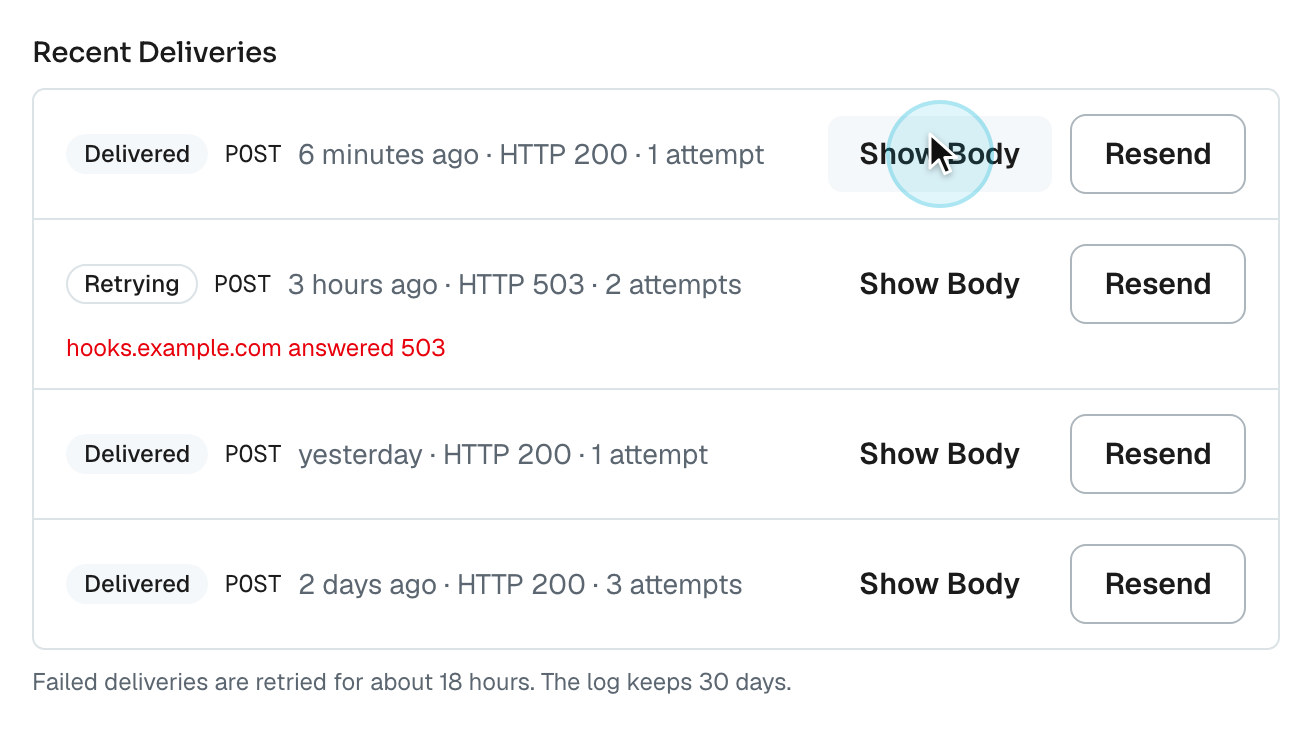
Cualquier respuesta 2xx cuenta como entregada. Si tu endpoint no responde en 10 segundos, no es accesible o responde con un error, se reintenta la entrega después de 1 minuto, luego 5 y 30 minutos, y después 2, 5 y 10 horas: siete intentos en unas 18 horas. Las redirecciones no se siguen, por lo que una respuesta 3xx cuenta como un fallo, y una respuesta 410 Gone detiene los reintentos de inmediato. Un reintento va a la URL y las cabeceras que tenga el webhook en ese momento, por lo que arreglar una URL incorrecta también arregla las entregas que dependen de ella.
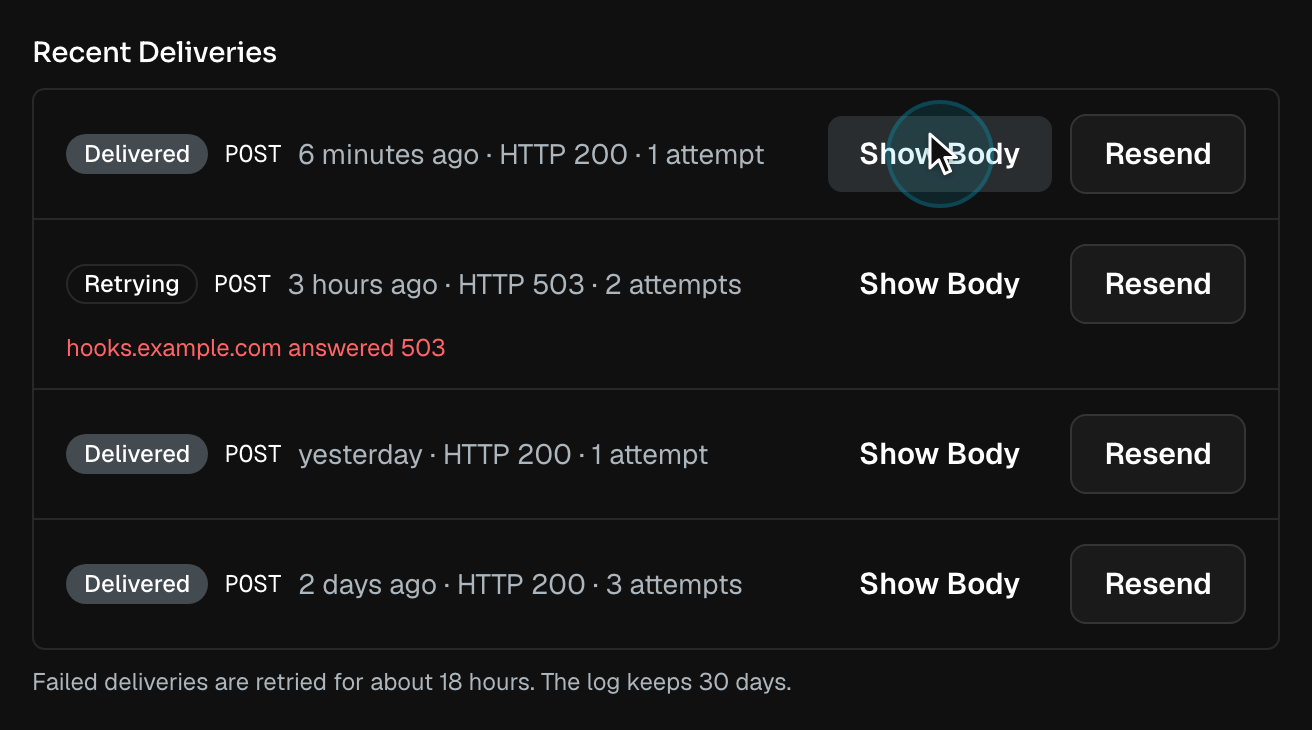
Recent Deliveries on the webhook’s page lists the newest 50, each as Delivered, Retrying or Failed, with the last status code and the number of attempts. Select Show Body to see exactly what was sent, or Resend to send it again now. Deliveries stay in the log for 30 days.
Bueno saber
- Nunca se envía spam y, en un formulario con un campo de Pago, la solicitud espera hasta que se pague.
- Un formulario puede enviar a hasta 10 webhooks, cada uno con hasta 10 cabeceras y 50 campos de cuerpo.
- Pon las claves API y los tokens en una cabecera, no en un campo de cuerpo. Los valores de las cabeceras se almacenan cifrados y nunca se vuelven a mostrar, mientras que los campos de cuerpo se muestran en la página del webhook.
La página Webhooks tiene el payload completo, ambos formatos y todos los límites. Para obtener envíos por tu cuenta y a tu ritmo, consulta Usar la API REST.
Crea una cuenta gratuita y envía tu primera solicitud de prueba a tu propio endpoint.