A form link on your own domain reads as part of your site. With Custom Domains, a form opens at an address such as forms.yourcompany.com/contact instead of the app’s. You add a few DNS records once, and Forminal sets up HTTPS for you. Custom Domains come with Pro and Business.
Connect your domain
- Open Account menu » Domains.
- In the Forms section, select Add Domain, type the domain, such as forms.yourcompany.com, and select Add.
- The domain shows as Pending, with a table of DNS records under it. Add each one where you manage your domain’s DNS, using the copy button next to each value.
- Select Check Now. Forminal also keeps checking in the background, and the badge turns Active once the records are found.
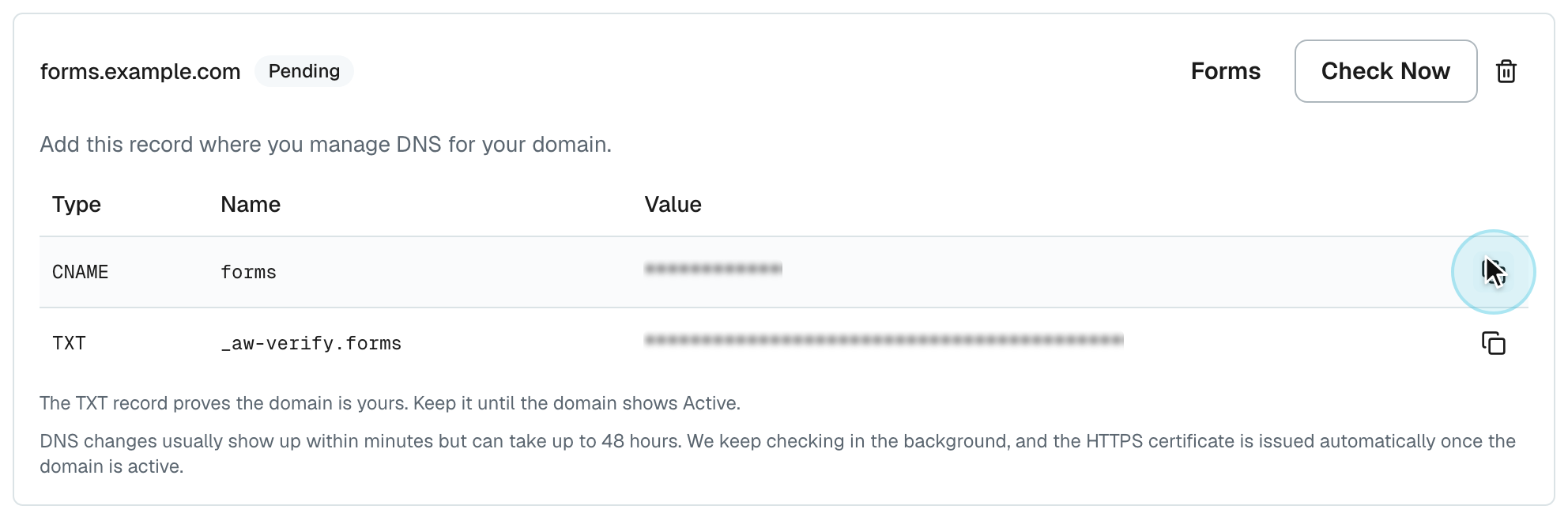
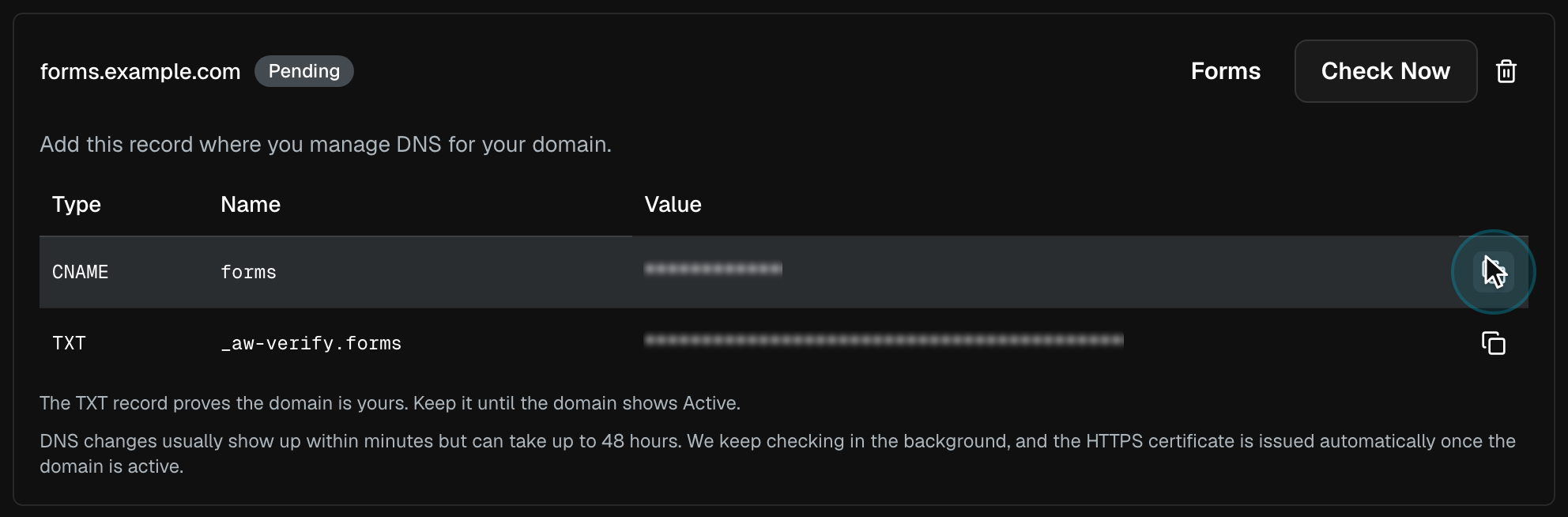
A subdomain such as forms.yourcompany.com is the safe choice, because it leaves the website on your main domain where it is. One of the records is a TXT record that proves the domain is yours, so keep it until the domain shows Active. DNS changes usually show up within minutes but can take up to 48 hours, and the HTTPS certificate is issued automatically once the domain is active.
Give each form an address
Select Forms on the domain’s card. Each form has a row with an Address box, which starts as the form’s title in lowercase with hyphens, so a form called Event RSVP starts as event-rsvp. Change it if you like and select Save. An address can use lowercase letters, numbers and hyphens, up to 64 characters.
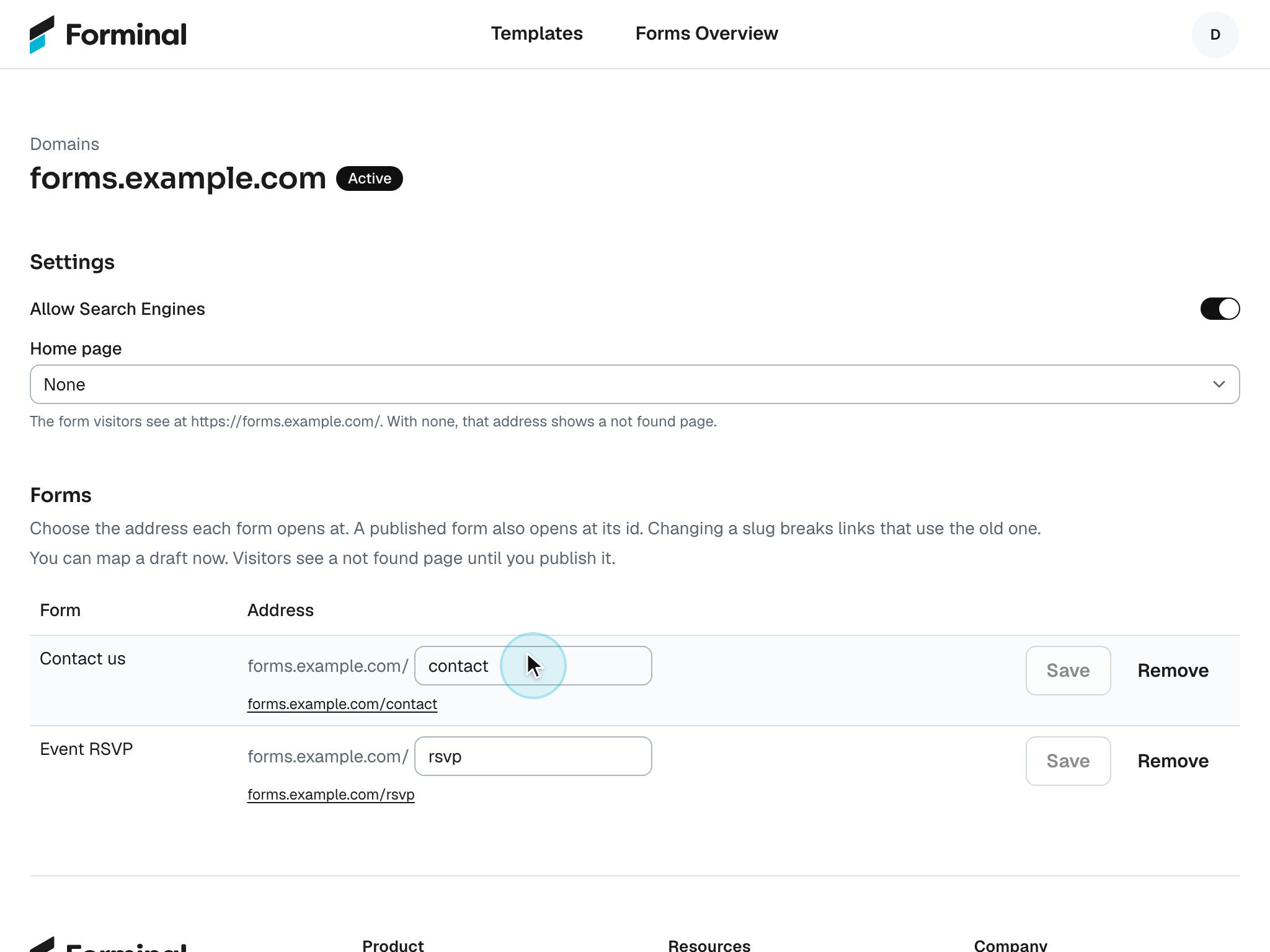
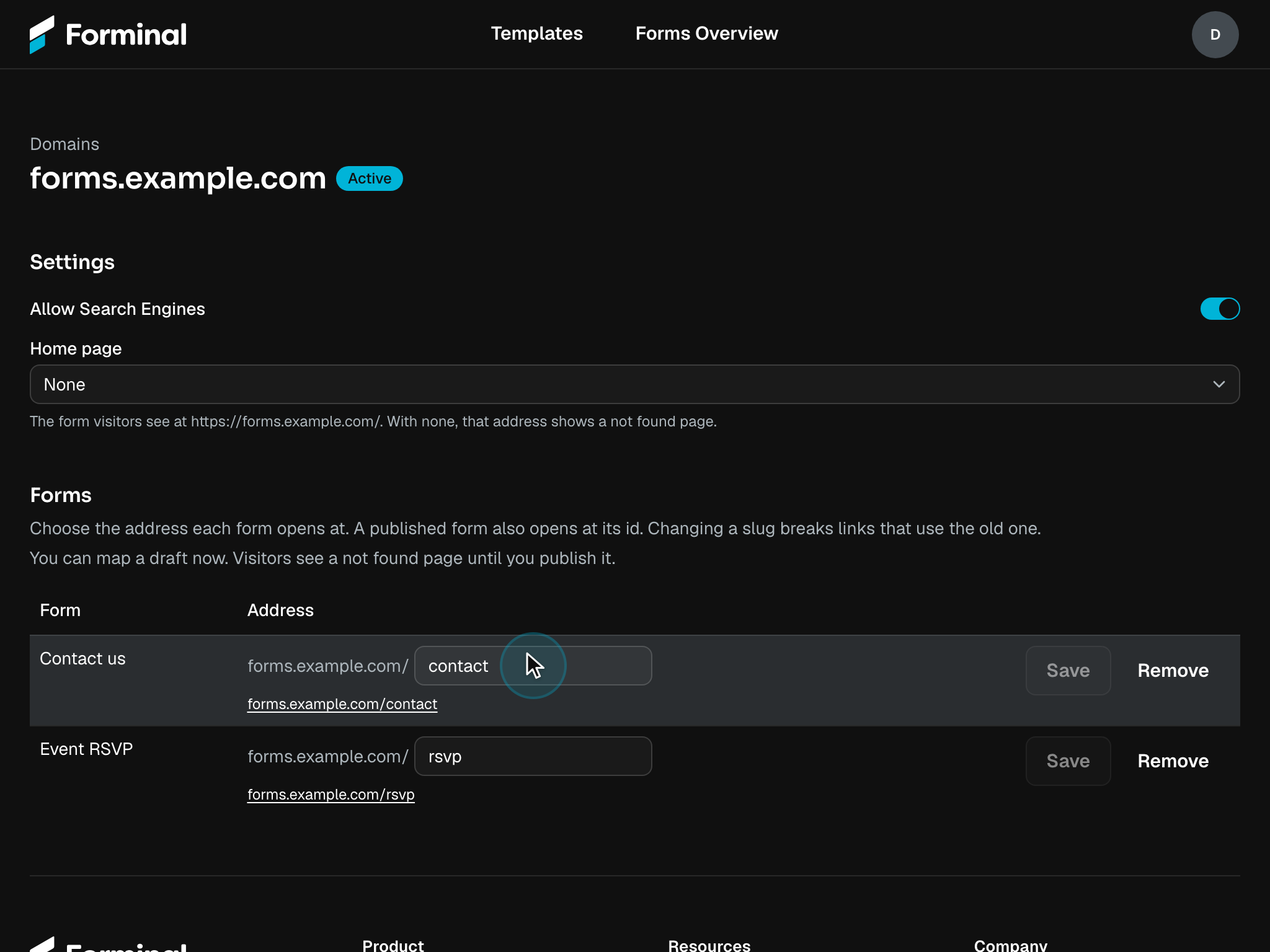
On the same page, Home page picks a form to open at the domain itself, and Allow Search Engines turns indexing on or off for everything on the domain.
What changes when you share
Once a form has an address on your domain, the Share panel shows it as Form Link, with the usual link beside it as Default Link. Embed snippets you copy from the Share panel use your domain too. Links you shared before keep working, because the form still runs on its usual address.
Good to know
- You can connect up to 5 domains.
- Changing a form’s address later breaks links that use the old one.
- You can give a draft an address now. Visitors see a not found page until you publish it.
- reCAPTCHA and Cloudflare Turnstile work on your domain once you add its hostname to the key. hCaptcha doesn’t work on a custom subdomain.
- If your plan stops including Custom Domains, the domain shows Paused and its forms show as unavailable until you upgrade.
Every step and record is explained in Use Your Own Domain. The Custom Domains page covers the rest, and Pricing compares the plans.
Create a free account and connect your domain once you move to Pro.