One Submission per Person lets each person send your form once. Someone who has already submitted sees a short notice instead of the form when they come back, and you can also refuse an email address already used in a submission, from any browser.
Examples
- A team vote where each person should be counted once.
- A giveaway form that takes one submission per email address.
- An event sign-up where a second registration from the same email would hold a seat twice.
Turn it on
- Open the form in the builder and select Form Settings in the top bar, or click an empty part of the canvas, so the sidebar shows the form’s settings.
- In Form Settings, select Protection. The Protection panel opens, with One Submission per Person at the top.
- Switch on One Submission per Person.
- To refuse repeat email addresses too, pick the email field in the Unique Email Field list. Leave it on None to rely on the browser alone.
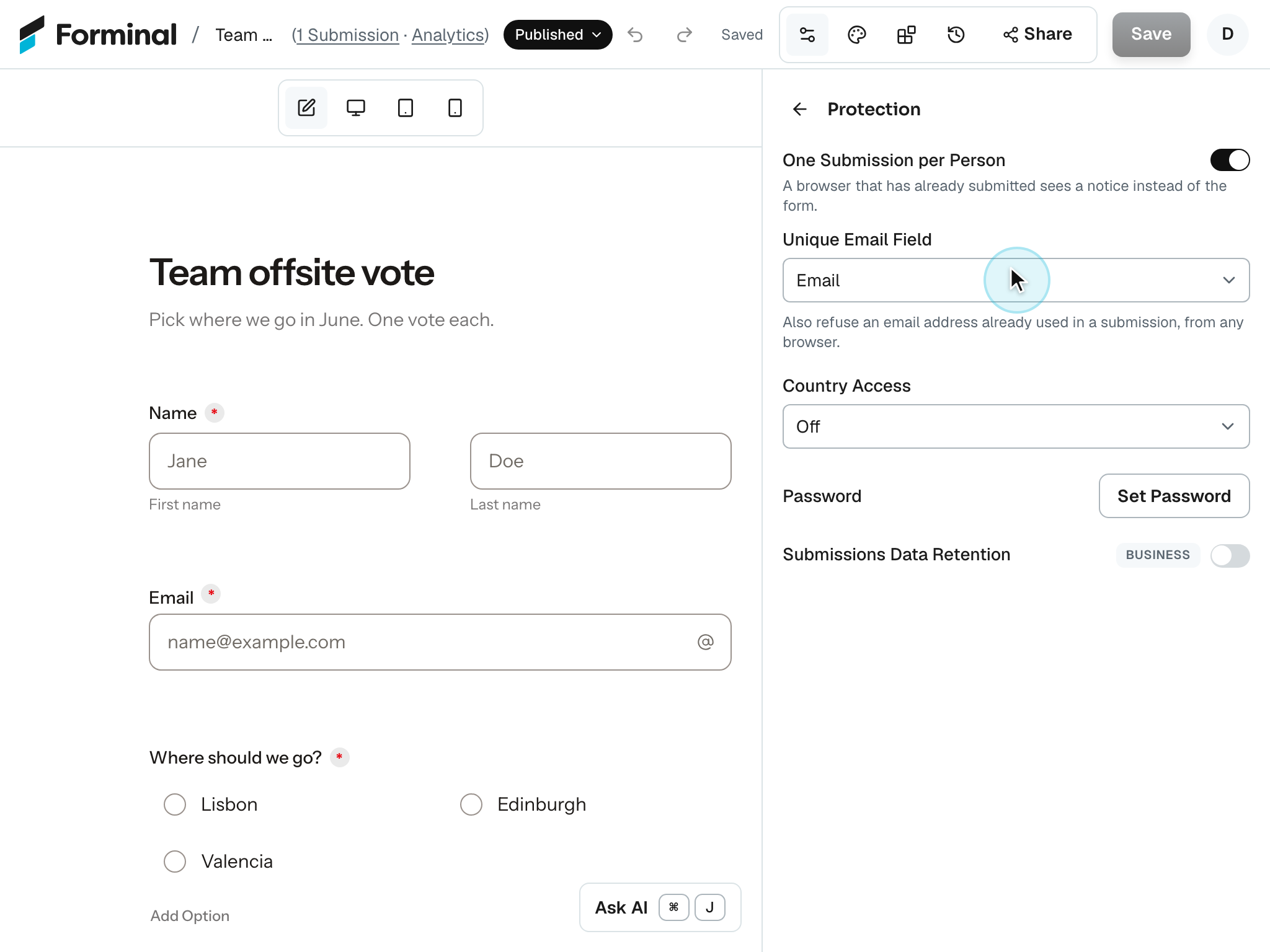
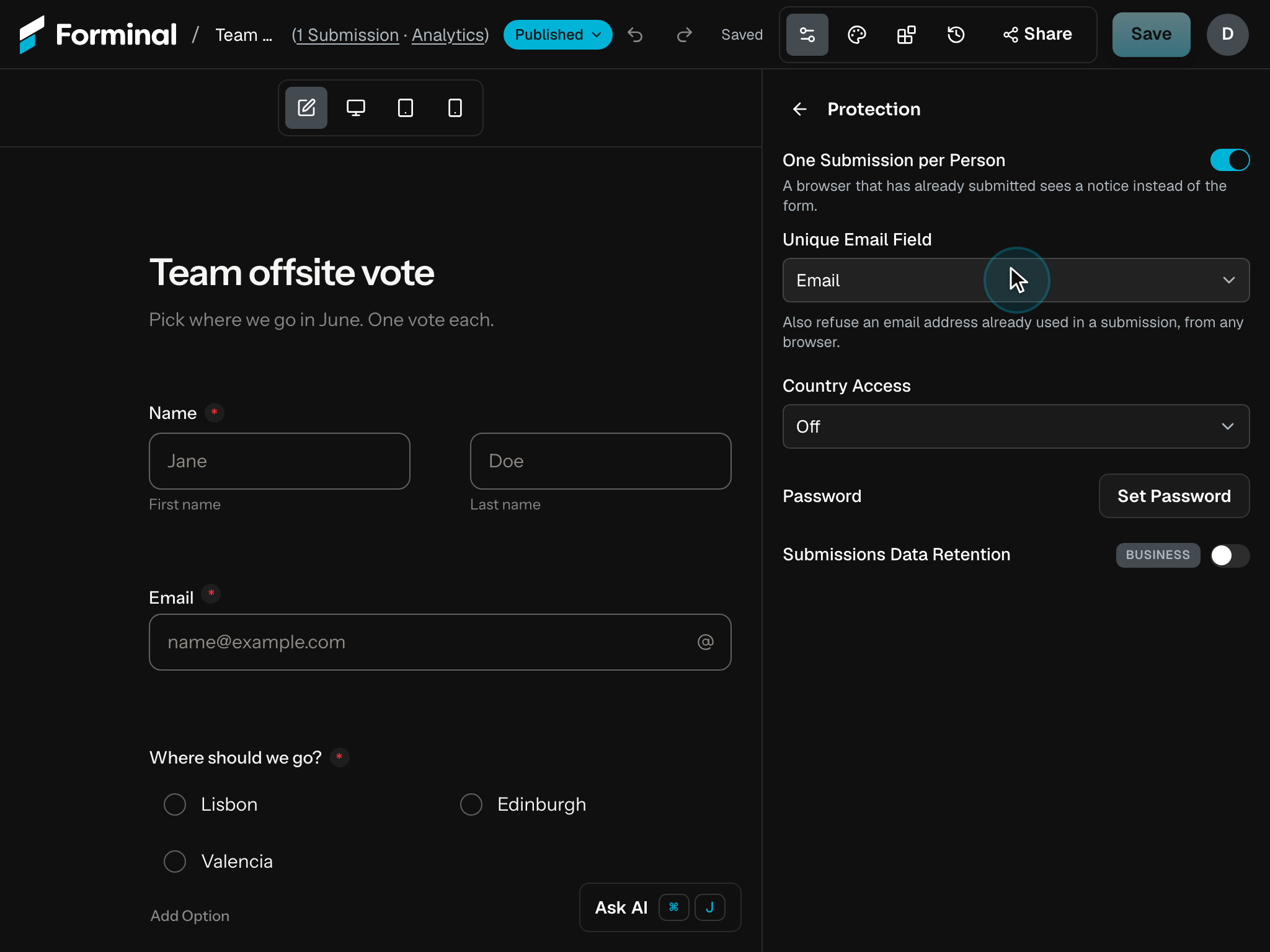
- If the form is still a draft, select Publish. On a published form, select Save to put the change live.
You can also ask the assistant, for example “Allow one submission per email”.
What people see
After someone submits, they see your confirmation as usual. When they open the form again in the same browser, on its link or wherever it’s embedded, it reads “You’ve already submitted this form.” in place of the questions.


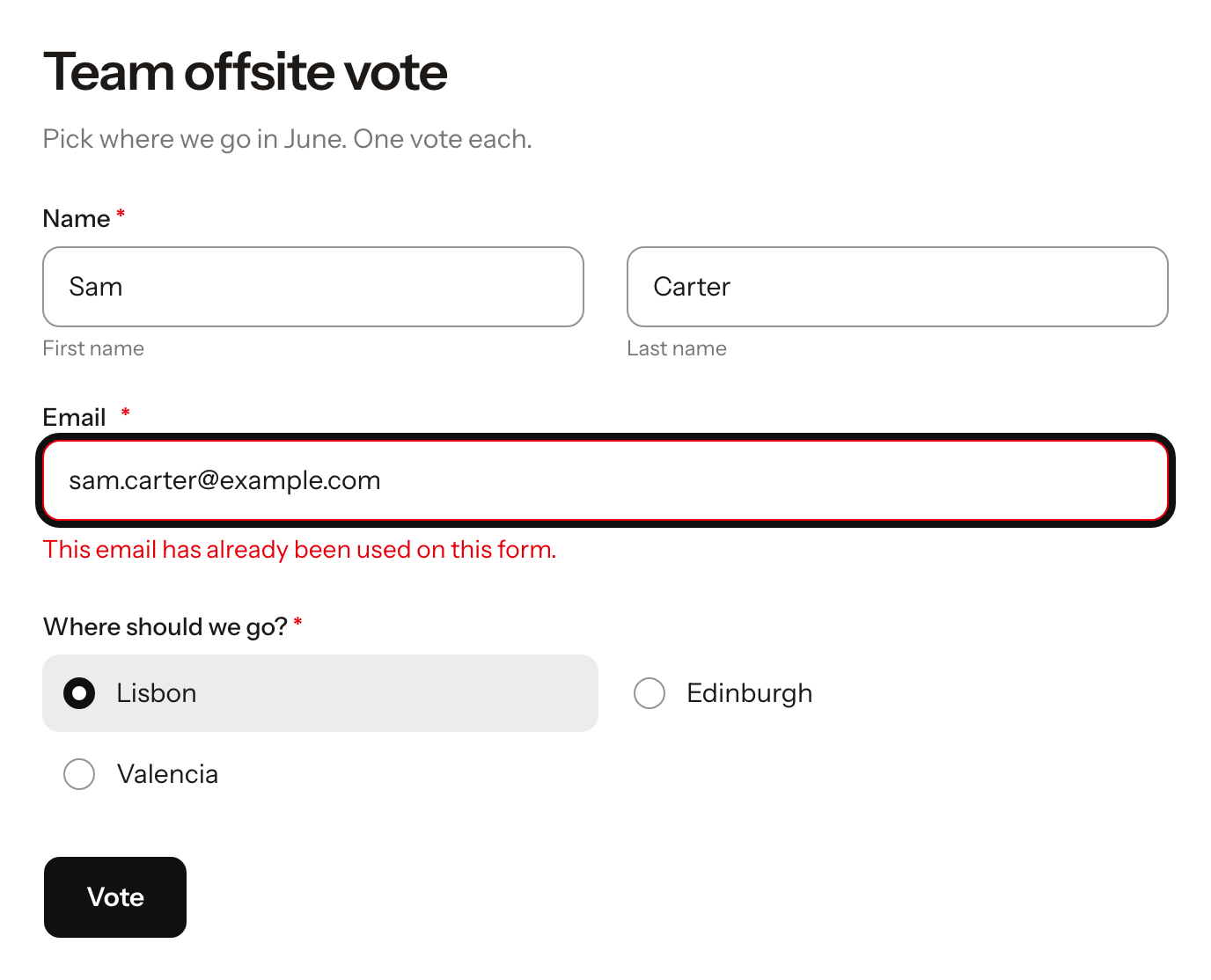
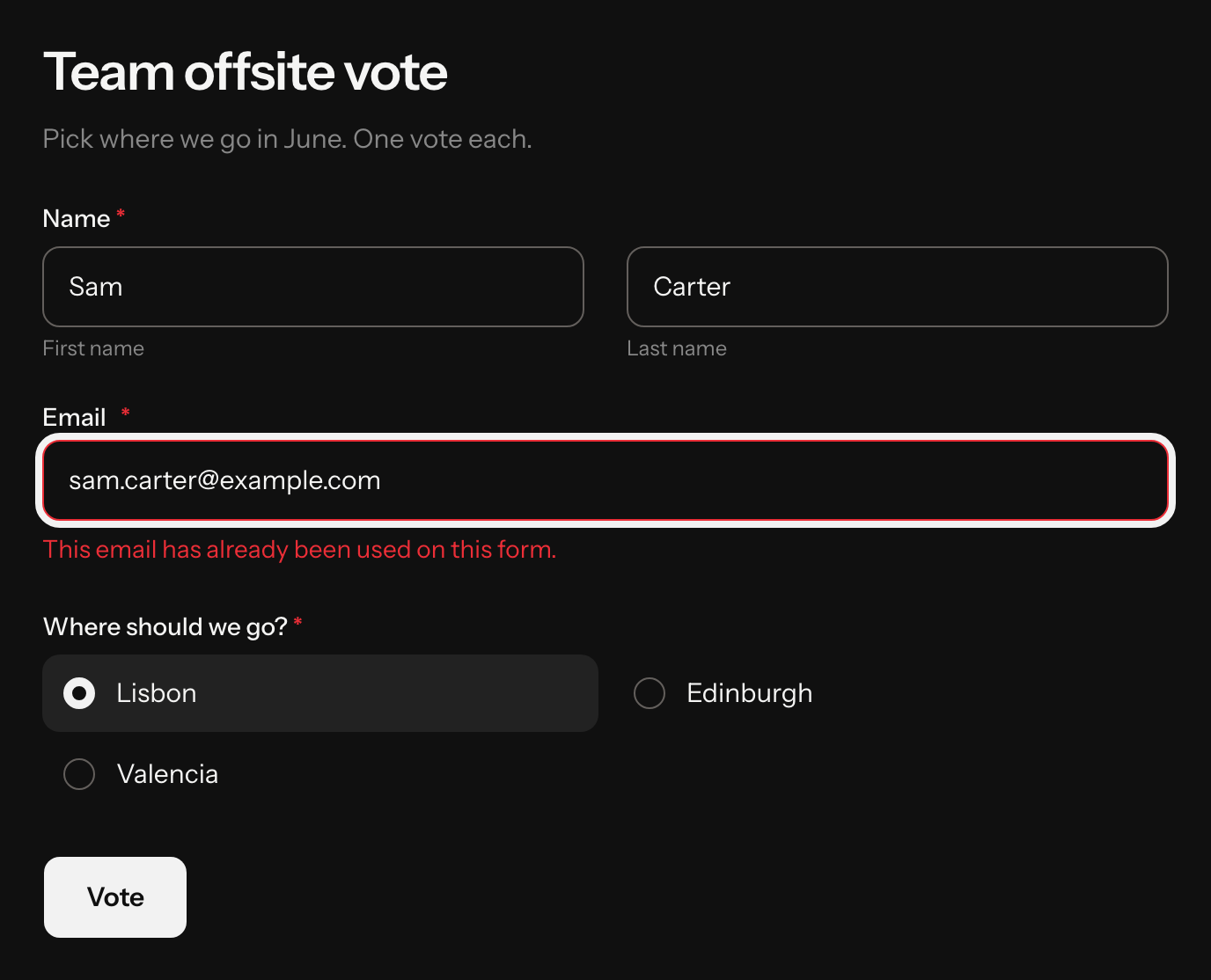
With a unique email field set, a person who submits an email address that was already used gets “This email has already been used on this form.” under the email field, and nothing is saved. Capital letters and spaces don’t make an address count as new.
Good to know
The browser check is easy to get around: a private window, another browser or cleared site data shows the form again. When One Submission per Person really matters, also set a unique email field. It’s checked when the form is submitted, whatever browser sends it.
Submissions marked as spam don’t count, and neither does a submission whose payment failed or was canceled, so that person can try again. A paid submission, or a bank payment that is still processing, counts. If you delete a submission, its email address can be used again.
When Smart Logic hides the unique email field, there’s nothing to compare, so the email check is skipped for that submission. Removing the email field from the form clears the Unique Email Field setting. The setting is available on every plan, and your preview in the builder always shows the form.
Frequently asked questions
Can people get around One Submission per Person?
With the browser check alone, yes: a private window, another browser or cleared site data shows the form again. Set a Unique Email Field too, which is checked when the form is submitted, whatever browser sends it.
Can someone submit again after a failed payment?
They can. A submission whose payment failed or was canceled doesn’t count, and neither does one marked as spam.
How do I let someone submit the form again?
Delete their submission, and its email address can be used again.
Why can I still see the form in the builder after I submitted it?
Your preview in the builder always shows the form. The You’ve already submitted this form notice appears when you open the form link again in the browser you submitted from.
Does a different capitalization count as a new email address?
No. Capital letters and spaces don’t make an address count as new.
Is One Submission per Person on the free plan?
Yes, the setting is available on every plan.