Form JSON Schema describes a form as data: its title, fields, settings and style. Developers and AI agents use it to check a form file before they import it.
Examples
- Validating a generated form before you import it.
- Giving a code editor autocomplete for form files.
Get the schema
The schema is published at /api/forms/schema. It needs no account or key, and it’s generated from the same rules the app checks forms with, so it always matches what the app accepts. It follows JSON Schema draft 2020-12.
curl https://app.aw.co.ua/api/forms/schemaWhat a form document looks like
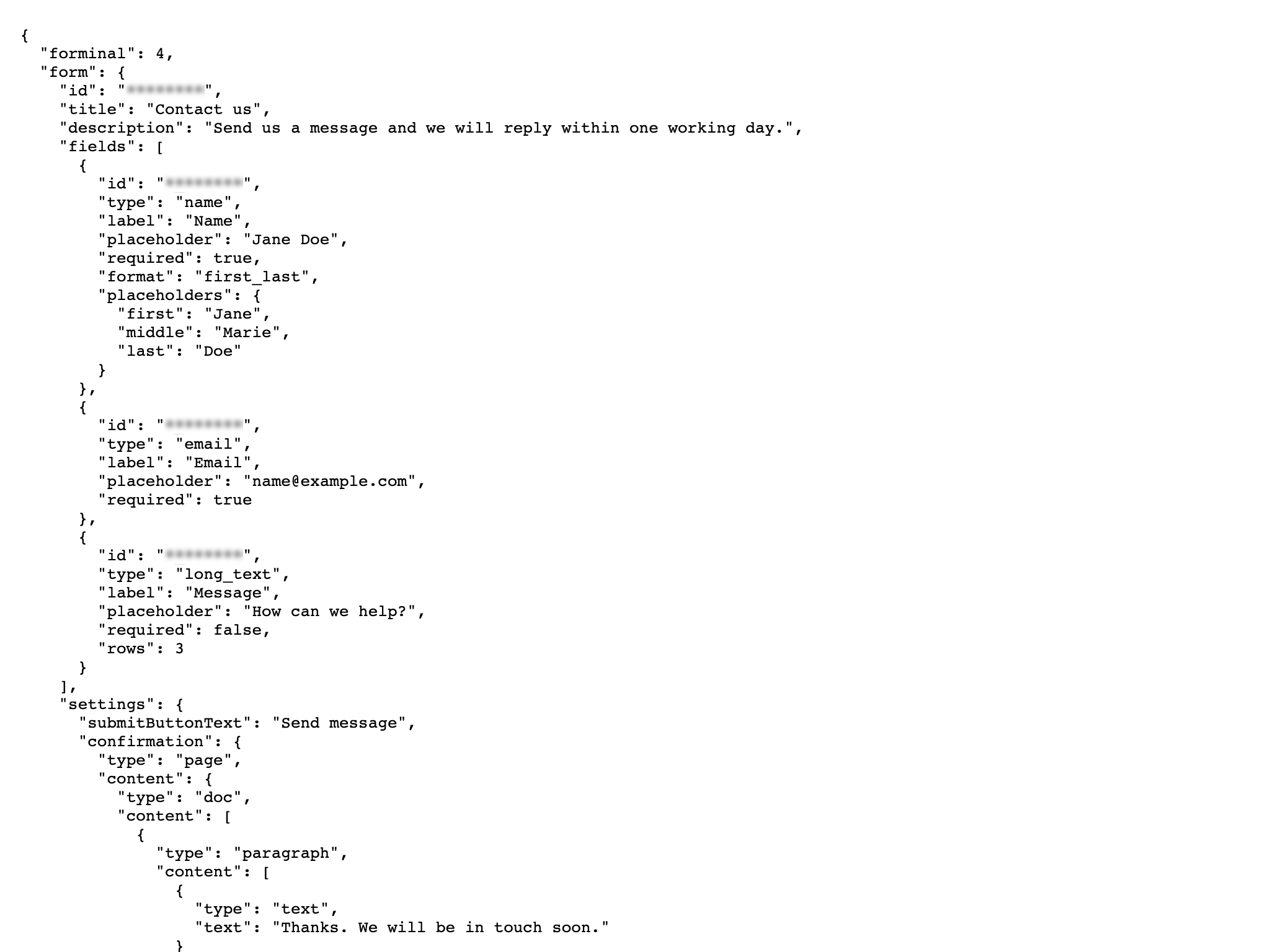
A document has two parts: forminal, the format version (the current one is 4, and older versions 1 to 3 still import), and form, the form itself. A file exported before the product was renamed names its version awesomeforms, and it imports too.
{
  "forminal": 4,
  "form": {
    "id": "replaced-on-import",
    "title": "Contact us",
    "settings": { "submitButtonText": "Send" },
    "fields": [
      { "id": "a", "type": "email", "label": "Email", "required": true }
    ]
  }
}form.id,title,fieldsandsettingsare required.descriptionandstyleare optional.- The title can be up to 200 characters, and a form can have up to 50 fields, page breaks included.
- Every field needs an
id, atype, alabelandrequired. The type is one of the 25 field types, fromshort_textandemailtopayment,contentandpage_break. Other keys depend on the type, such asoptionsfor choice fields orrowsfor long text. settingsholds the submit button text (required), the confirmation, conditional confirmations, notifications, branding, the page progress options, and One Submission per Person (onePerPerson, with an optionaluniqueEmailFieldId).styleholds the theme, the Appearance (mode:auto,lightordark), font, colors, layout, inputs, buttons, the logo and cover (header), the card (card) and custom CSS. Send only the parts you want to change and the theme fills in the rest.
Use it
- Point your editor or validator at the schema URL to get autocomplete and error checks while you write a form file.
- Send the document to
POST /api/forms/importto create a draft, with theForminal-Ackheader carrying the acknowledgement code from llms.txt. New ids are given to the form and its fields, and the response lists anything it couldn’t carry over. - To get an existing form in the same format, use
GET /api/forms/FORM_ID/export. The result imports here unchanged.
Good to know
A few rules can’t be written in JSON Schema, so a document can pass the schema and still be refused: a choice field needs options, a name field needs a format, a default answer must be one of the options, an embed link must be an https link from one of the supported providers, and field ids must be unique. The MCP tool validate_form_document checks those too, without saving anything. A document can also hold features your plan doesn’t include. They’re saved, but the published form leaves them out until you upgrade.
Frequently asked questions
Do I need an API key to download the schema?
The schema at /api/forms/schema needs no account or key.
Which version of JSON Schema does it use?
It follows JSON Schema draft 2020-12.
Why was my form refused when it passed the schema?
A few rules can’t be written in JSON Schema, such as unique field ids and a choice field needing options. The MCP tool validate_form_document checks those too, without saving anything.
Can I import a form file exported before the product was renamed?
Yes. A file that names its version awesomeforms still imports, and so do format versions 1 to 3.
How many fields can a form document have?
Up to 50 fields, page breaks included, and a title of up to 200 characters.
Does a form document include submissions?
No. It holds the form, not its data, so submissions, analytics and version history aren’t in it. See Import and Export.