Data Retention deletes a form’s submissions automatically once they are older than a period you choose. Use it when you only need answers for a while, or don’t want to keep personal data longer than necessary.
Examples
- A contact form where you answer within a week, set to delete submissions after 90 days.
- An event registration form that you clear 6 months after the event.
- A job application form with CV uploads, set to delete applications after 1 year.
- A short-lived feedback form during a test, set to delete submissions after 24 hours.
Turn it on
- Open the form in the builder and select Form Settings in the top bar.
- In Form Settings, select Protection.
- Switch on Submissions Data Retention.
- Enter a whole number from 1 to 1000 and pick a unit: Minutes, Hours, Days, Weeks, Months or Years. It starts at 30 Days. Until you save, the note under it begins “Not saved yet.”
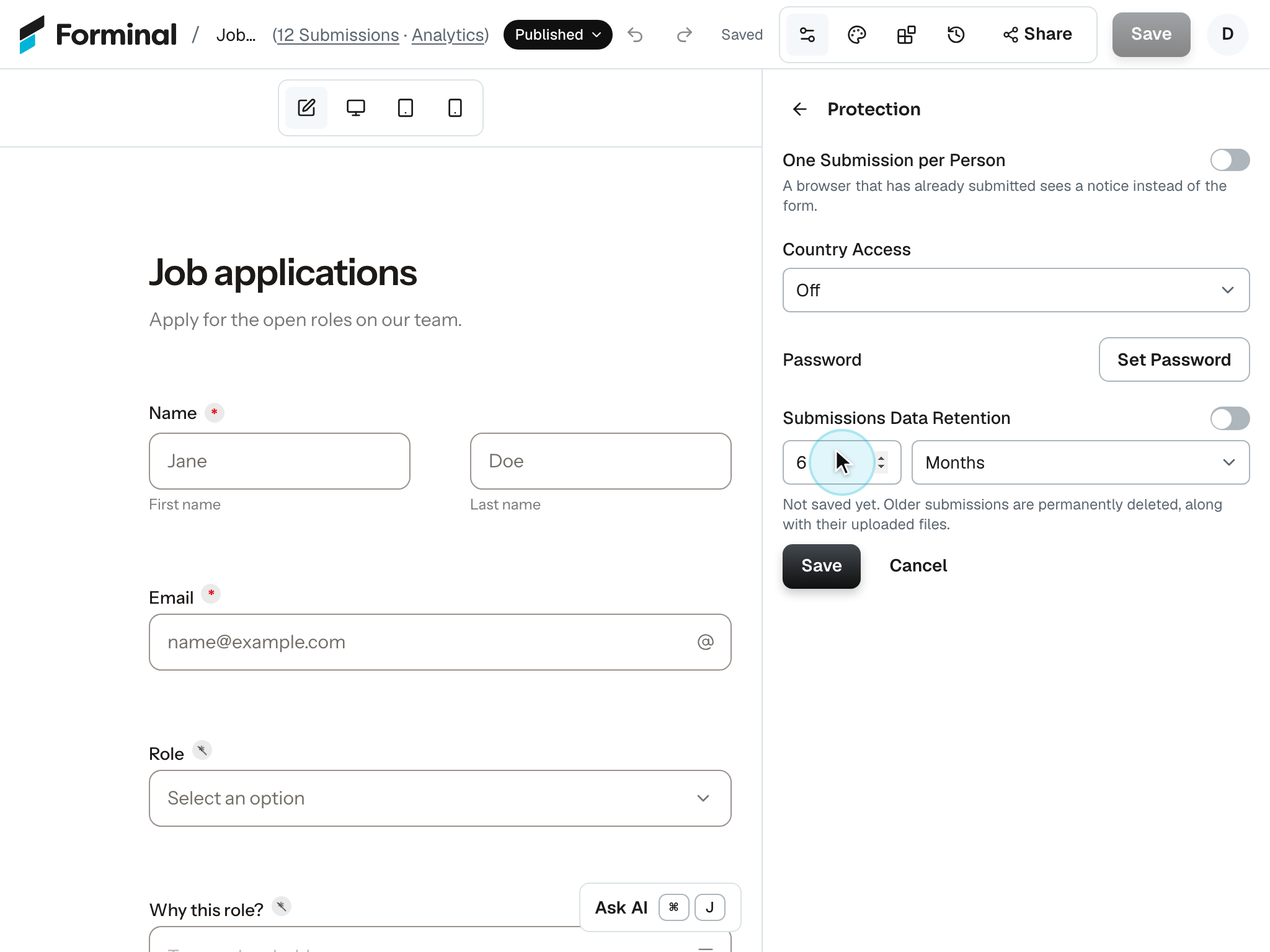
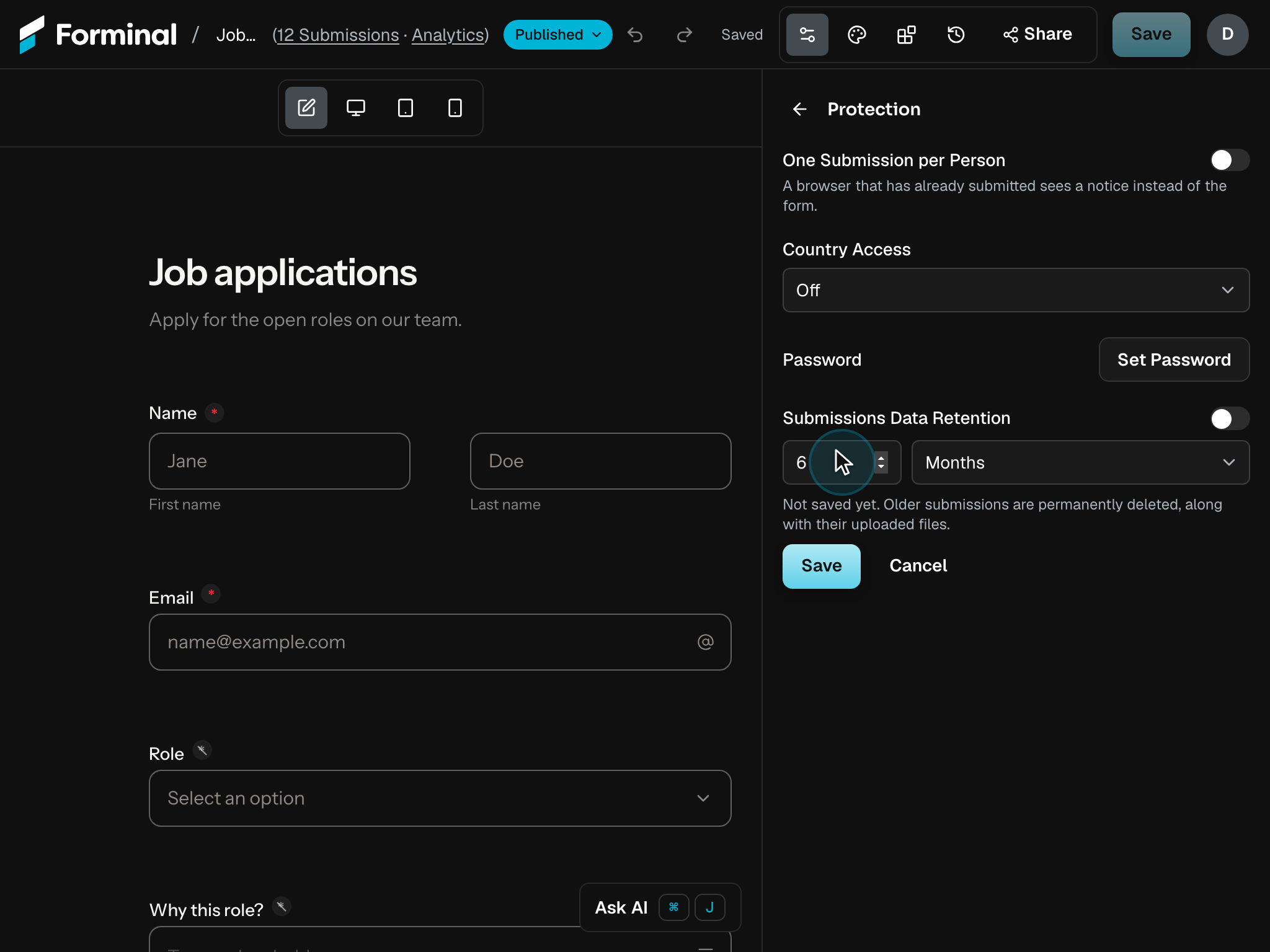
- Select Save.
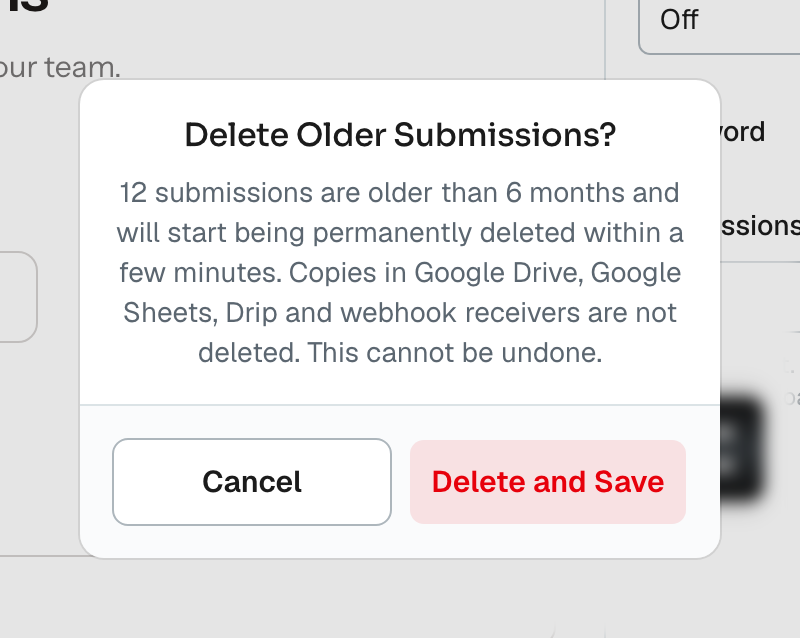
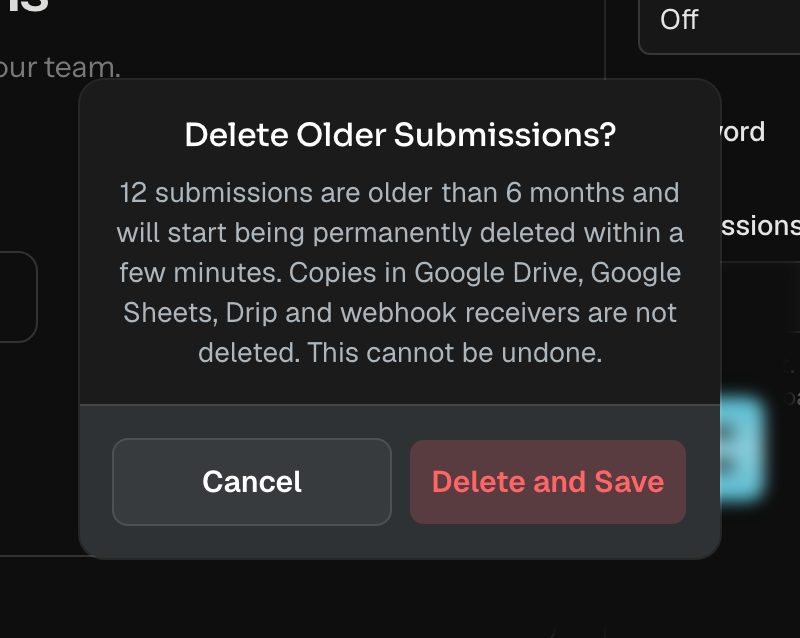
If the form already has submissions older than the period you chose, a Delete Older Submissions? window tells you how many will be deleted. Select Delete and Save to go ahead, or Cancel to keep the old setting.
What gets deleted
A submission is deleted when it is older than the period. Months and years are calendar months and years, not 30 or 365 days.
The deletion is permanent. There is no trash and you can’t undo it. It covers spam submissions, the files uploaded with each submission and any payment records attached to it.
Deleting starts within about five minutes after a submission expires, and it runs in batches, so a form with a large backlog takes several runs to clear.
A submission with work still in progress is kept for now, such as a payment that is pending or processing, or an email notification or webhook that hasn’t gone out yet or is still being retried.
The same goes for a send to Google Sheets, Make or Zapier that is still on its way, and for an uploaded file still waiting to reach Google Drive. A file whose upload to Drive has stopped after repeated failures doesn’t hold the submission back.
It is deleted once the work finishes, and in any case no later than 14 days after it was submitted.
Change or turn it off
To change the period, edit the number or the unit and select Save. If a shorter period puts existing submissions past the new limit, you see the same confirmation as when you first turned it on.
To turn it off, switch Submissions Data Retention off. Submissions are kept from then on, and you can do this on any plan.
What you see in submissions
While retention is running, the Submissions page shows a note above the table: “Submissions older than 6 months are deleted automatically.” It shows your own period, and its Change it in the form settings. link opens the builder, where the setting is under Protection in Form Settings.


Good to know
Data Retention is a Business feature. Only the form owner can change it, and each change appears in the form’s Action Log. Workspace members with access to Submissions see the setting read-only, with the period and a note that only the owner can change it. Other members don’t see it.
Copies of a submission that already left the platform are not deleted, such as requests received by a webhook and notification emails.
Rows in Google Sheets and files in Google Drive stay where they are too.
If the owner’s plan drops below Business, the period is kept but paused, and nothing is deleted. The setting shows it as paused. When the owner is back on Business, deleting resumes and removes everything that expired in the meantime.
Frequently asked questions
Which plan includes data retention?
Data Retention is a Business feature. Turning it off works on any plan.
Can I recover submissions after data retention deletes them?
The deletion is permanent, with no trash and no undo. It also removes the files uploaded with each submission and any payment records attached to it.
Does data retention remove rows in Google Sheets or files in Google Drive?
No. Copies that already left Forminal stay where they are, including Google Sheets rows, Google Drive files, requests a webhook received and notification emails.
What happens if my plan drops below Business?
The period is kept but paused, and nothing is deleted. When you’re back on Business, deleting resumes and removes everything that expired in the meantime.
Can a workspace member change the retention period?
No, only the form owner can change it, and each change appears in the form’s Action Log. Members with access to Submissions see the setting read-only.
Are submissions deleted the moment they expire?
Deleting starts within about five minutes after a submission expires and runs in batches. A submission whose payment, notification, integration or Drive upload is still in progress is kept until that work finishes, for up to 14 days after it was submitted.