Instructions for agents are a plain-text guide that explains the platform to an AI agent, so it knows how to build forms for you without you explaining anything. Give your agent the link and it learns how to connect, which tools to use, the form format, and how to make a form from a single link.
Examples
- Pasting one link into an AI assistant and getting a contact form back, with no other setup.
- A coding agent learning the platform before it writes an integration.
Where to find them
The same text is served at two addresses, and reading it needs no account:
- app.aw.co.ua/llms.txt, the usual place agents look for instructions.
- app.aw.co.ua/ai, a shorter address to paste into a chat.
Every page of the app also points to /llms.txt in its page header and in robots.txt, so an agent that opens any of your form links can find it on its own.
Use them with your agent
- Tell your agent what you need and paste
https://app.aw.co.ua/ai, for example “Read app.aw.co.ua/ai and add a contact form to my site”. - The agent picks the way in that suits it and tells you which one: the MCP server if your client can connect one, a form link if it can’t, or an API key if you give it one.
- Do the one step only you can do: sign in in your browser when the agent asks, either to connect the MCP server or to keep the form it built from a link.
What they cover
- How to connect the MCP server in Claude Code, Codex CLI, Gemini CLI, VS Code, Claude, ChatGPT and Cursor, which Claude and ChatGPT modes the connection reaches, where to find install files for other clients, and how to reconnect when the sign-in expires.
- A short table of every MCP tool and its arguments, and what the tools won’t tell an agent, such as that an update replaces the whole form.
- The form document format with its limits and worked examples, including a form with pages.
- How to publish a form and embed it as an inline frame or a popup.
- How to use an API key safely, and to relay warnings when a form uses a feature your plan doesn’t include.
Build a form from a link
An agent with no access to your account can still make you a form. It writes the title and each field into a /start link, like the one below, and you open it. The form opens in the builder, and signing in keeps it on your account. If you’re already signed in, it goes straight to your account.
https://app.aw.co.ua/start?ack=<code>&title=Contact+us&field.Email=email,required&field.Message=long_text,rows:5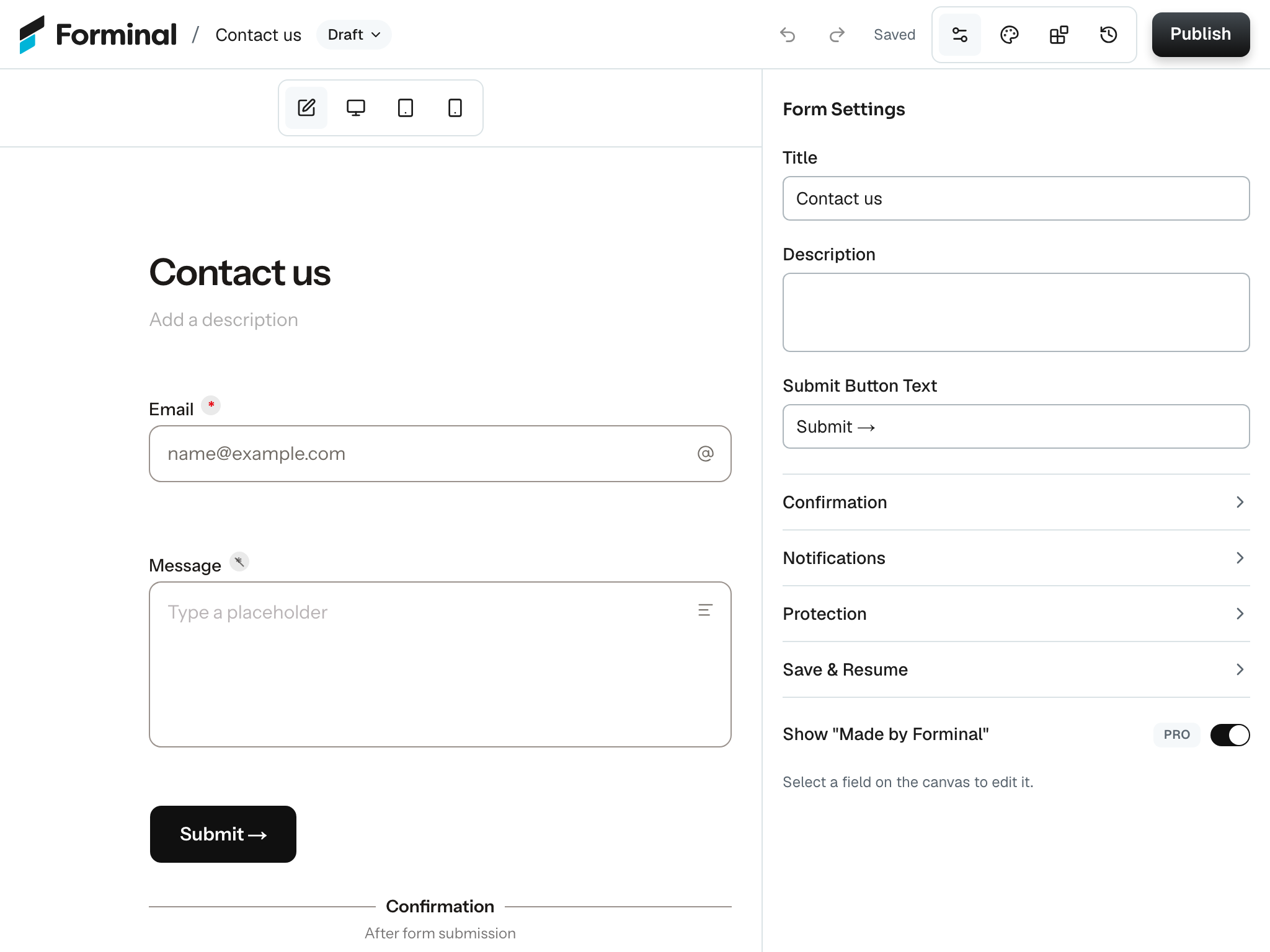
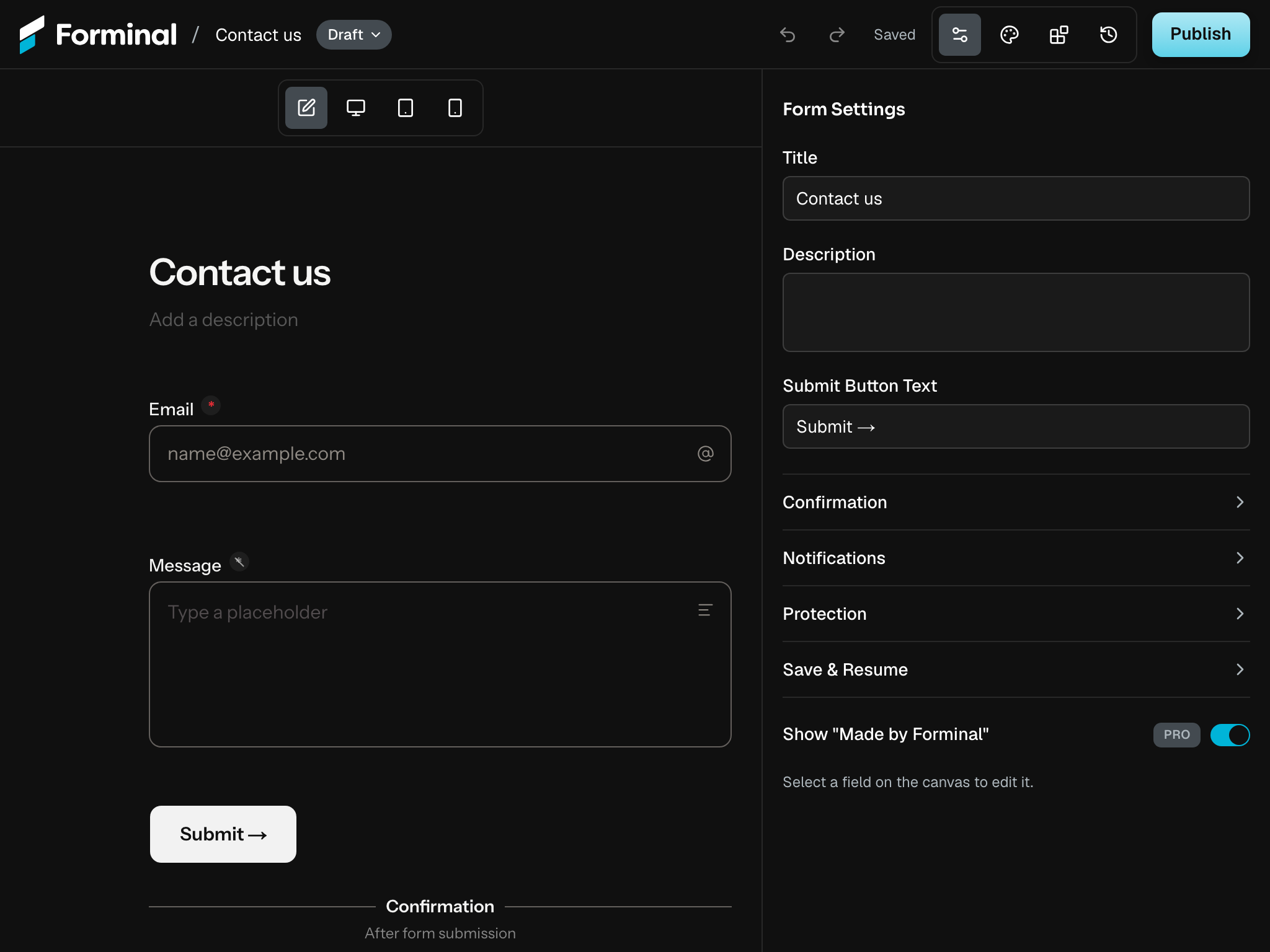
Each field.Label part adds one field: the label people see, then the field type, then options and rules such as required, rows:5 or multiple. Choice fields take their options after a colon, separated by |. Adding &check=1 to the link returns the fields it would make, and anything it couldn’t read, without creating a form, so the agent can fix mistakes before handing it over.
The ack part is the code printed in the agent instructions. The MCP tools, the API and /start all ask for it before they create, change, publish or delete a form, so an agent has to read the instructions first. If you open a link that doesn’t have it, no form is made and the page tells you to ask the agent for a new link.
Good to know
A link can use every field type except content blocks and page breaks, so a form with pages has to be made through the MCP server or the API. A payment field from a link has no amount or Stripe account yet, so you set those up in the builder. A form made from a link starts as a draft, and you publish it from the builder. Each address can open up to 10 /start links a minute. The text is generated from the app’s own rules and limits, so it stays current.
Frequently asked questions
Does an agent need an account to read the instructions?
The instructions are served at llms.txt and at the shorter /ai address, and reading them needs no account.
Can an agent make a form if it can’t access my account?
Yes. It writes the form into a /start link, and you open it. The form opens in the builder as a draft, and signing in keeps it on your account.
Why does an agent need an acknowledgement code?
The MCP tools, the API and /start links all ask for the code printed in the instructions before they create, change, publish or delete a form. That way an agent has to read the instructions first.
Can a /start link make a form with several pages?
No. A link can use every field type except content blocks and page breaks, so a multi-page form has to be made through the MCP Server or the API.
Are the instructions kept up to date?
The text is generated from the app’s own rules and limits, so it stays current as they change.