Two commands add the Forminal MCP server to the Codex CLI. After that, Codex can build forms, change them and read their submissions when you ask.
If you added Forminal to ChatGPT as a plugin, Codex can use that plugin too (see the ChatGPT guide). The steps below set Codex up without ChatGPT: two commands, or the Forminal plugin from our GitHub repository.
What you can do
- “Make an RSVP form for the team dinner with a yes/no question and a dropdown for the main course, and publish it.”
- “Give me the share link for the RSVP form.”
- “Undo my last change to the newsletter form by restoring its previous version.”
- “Mark the support form submissions that mention a refund with the tag refund.”
Connect it
- In your terminal, add the server, then log in to it:
codex mcp add forminal --url https://app.forminal.ai/mcp
codex mcp login forminal- The login command opens a browser window. Sign in to your Forminal account, or create one, and allow access. This step is yours, and Codex never sees your Google sign-in or your email link.
Or install the Forminal plugin
The Forminal MCP repository on GitHub is also a plugin marketplace for Codex. Add it with this command, then run /plugins in Codex, install Forminal from the forminal marketplace and sign in to your Forminal account when Codex asks. Start a new session afterwards, because the tools load when a session starts:
codex plugin marketplace add awesomemotive/forminal-mcpThe plugin connects to the same server address, so you don’t need the two commands above as well.
Check it works
codex mcp list should show forminal, and so should /mcp inside Codex. Then ask “List my Forminal forms.” You get your forms back, newest first. A new account has none yet, and an empty list still means you’re connected.
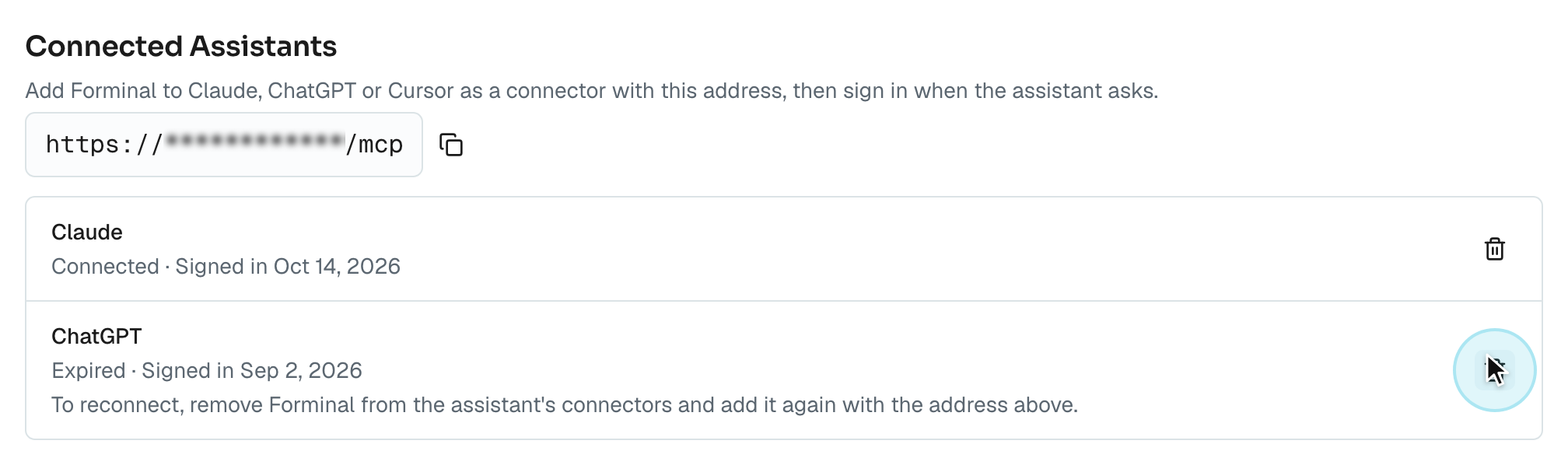
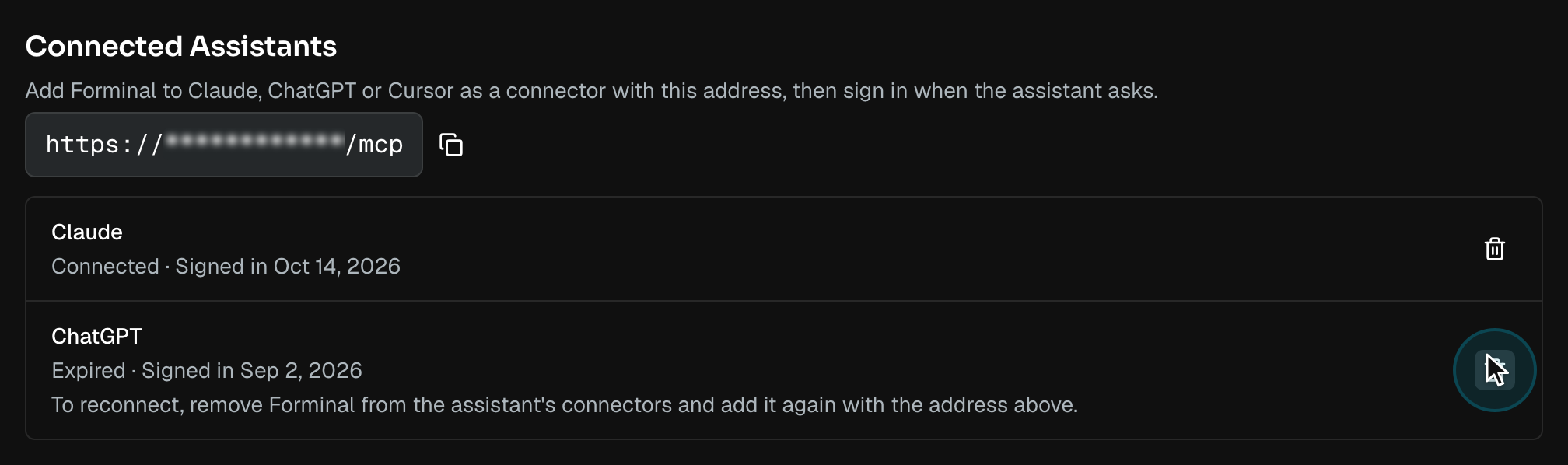
In Forminal, open Account menu » Profile » API keys. Under Connected Assistants, the client now reads Connected, with the day it signed in.
If it does not connect
- Every tool fails on authorization straight after you add the server: the login step was skipped. Codex will connect without signing in, so run
codex mcp login forminal. - It worked before and now every tool fails on authorization: the sign-in has expired. Run
codex mcp logout forminal, thencodex mcp login forminal. - You installed the plugin and Codex has no Forminal tools: the tools load when a session starts, so start a new session.
- The server times out on start: Codex waits 10 seconds by default. Raise
startup_timeout_secunder[mcp_servers.forminal]in~/.codex/config.toml.
The MCP server guide lists every tool, and the full agent instructions explain Forminal to an agent that has never used it. Other clients are listed under Connect your AI. If you’re still stuck, contact support.
Frequently asked questions
Can Codex work on forms that other people shared with me?
Codex works as you, so it reaches your own forms and any forms others shared with you, at the access they gave you.
Can Codex mark submissions as spam?
It can mark submissions as read or unread and as spam or not spam, and it can tag them.
Can Codex publish or unpublish several forms at once?
It can publish or unpublish up to 50 forms in one request.
Does Codex need to read anything before it changes a form?
Every tool that creates, changes, publishes or deletes something needs the acknowledgement code from llms.txt. Codex gets it by reading that file or by calling get_agent_instructions, which returns the same text.
Is there a Forminal plugin for Codex?
Yes. Run codex plugin marketplace add awesomemotive/forminal-mcp, then run /plugins in Codex, install Forminal and start a new session. It connects to the same server, and you still sign in to Forminal in the browser.